
If your Tampa Bay business is paying for Microsoft 365 and only using Outlook, Word, and Teams for chat, you’re leaving real money on the table. Most small and mid-sized businesses use fewer than 20% of their M365 subscription features — and that’s not an opinion, it’s what we see in nearly every new client audit at Virtual IT Group. I’m Brian Truman, CEO of Virtual IT Group, LLC, CompTIA Security+ certified and Microsoft Certified, and I’ve spent 20 years helping businesses across Hillsborough County stop paying for tools they never turn on. The 10 features below are included in common M365 plans (Business Basic, Standard, or Premium as noted), consistently underused in our client audits, and each one delivers measurable results. No fluff — just what your team can activate this week.
Last Updated: September 30, 2026
Why Are Tampa Bay Businesses Paying for Microsoft 365 Features They Never Use?
Here’s the honest answer: Microsoft 365 is a platform, not a product. It requires deliberate setup and ongoing configuration to deliver its full value. Most businesses get licenses provisioned, email migrated, and then the deployment stops. The result? You’re paying for enterprise-grade security, automation, and collaboration tools that sit dormant in your tenant.
87% of our new clients were overpaying for underperforming IT solutions when we conducted their initial assessment. That number still surprises people — but it shouldn’t. A 35-person Tampa marketing agency we onboarded last year was managing seven different IT vendor relationships for internet, phones, security, cloud, and support. We consolidated everything under one managed agreement, cutting total IT costs by 30% and reducing their vendor management overhead by 80%. Half of the savings came from activating M365 features they were already licensed for but not using.
As Brian Truman puts it: “Technology should be an accelerator for your business, not a constant source of frustration. If your team is complaining about IT more than once a week, something is fundamentally broken in your IT strategy.”
The list below applies whether your office is in Tampa, Dover, Gibsonton, or Dade City. Let’s get specific.
1. Microsoft Secure Score — Your Free Security Health Dashboard
TL;DR: Microsoft Secure Score is a real-time security posture rating (0–100) inside the Microsoft 365 Defender portal that benchmarks your tenant against best practices and gives you a prioritized remediation list — at no additional cost.
Think of it as a free security audit that runs continuously. Every M365 tenant has a Secure Score, but almost no one looks at it. The portal shows you exactly which settings are misconfigured, which protections are missing, and how your score compares to similar organizations.
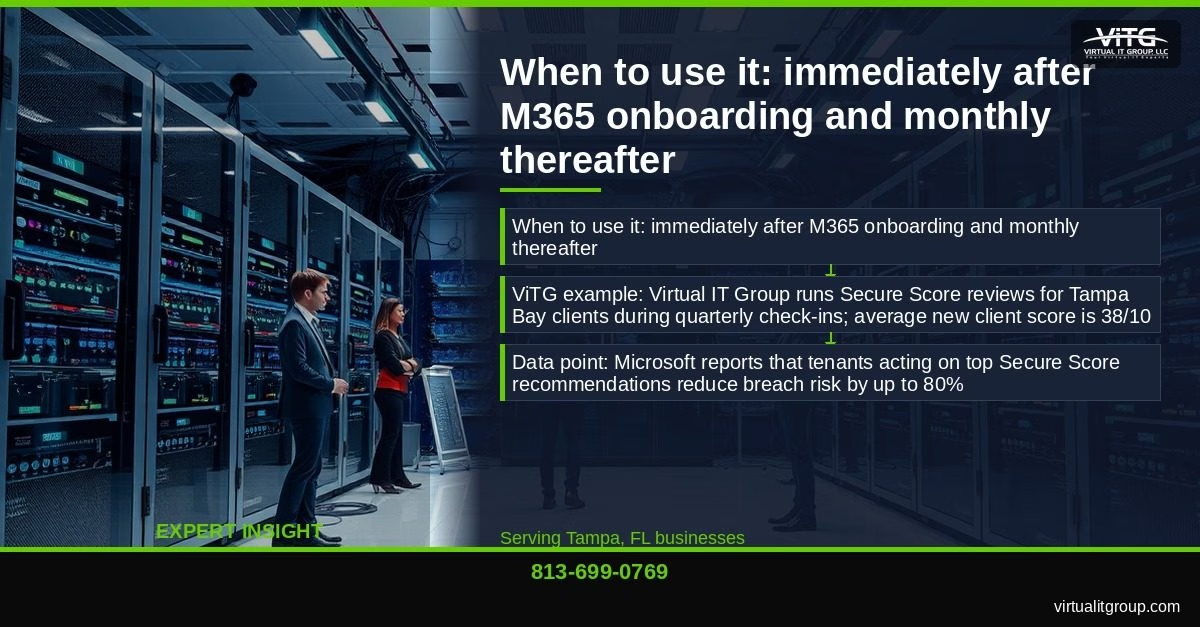
When Virtual IT Group runs Secure Score reviews for new Tampa Bay clients during quarterly check-ins, the average starting score is 38 out of 100. Within 90 days of remediation, that number rises to 72 or above. Microsoft’s own data shows that tenants acting on top Secure Score recommendations reduce breach risk by up to 80%. That’s not a minor improvement — that’s the difference between being a soft target and a hardened one.
Log into security.microsoft.com right now and check your score. If it’s below 50, call us at (813) 699-0769 — we’ll walk through what remediation looks like for your specific tenant.
Key takeaway: Microsoft Secure Score gives Tampa Bay SMBs a free, continuously updated security audit — the average new ViTG client starts at 38/100 and reaches 72+ within 90 days of acting on its recommendations.
2. Multi-Factor Authentication Enforced via Conditional Access
TL;DR: Conditional Access policies in Azure AD (Entra ID) enforce MFA based on user, location, device, or app risk — far more granular and less disruptive than the basic MFA toggle most businesses use.
Basic MFA blocks approximately 99.9% of automated credential attacks, according to Microsoft’s own research. The problem? Basic MFA prompts every login, everywhere, which generates helpdesk complaints — especially from field staff and remote workers, which is most of Hillsborough County’s service industry workforce.
Conditional Access fixes that. A Gibsonton logistics company we support reduced MFA-related helpdesk complaints by 60% after we configured Conditional Access to skip MFA prompts when users are on trusted office IP addresses. Same security posture, far less friction. This feature is available on M365 Business Premium and above.
If your team is remote or hybrid — and most Tampa Bay businesses are running some version of that now — Conditional Access should be configured before anything else on this list.
Key takeaway: Conditional Access makes MFA smarter by applying it selectively based on risk signals, reducing helpdesk friction while maintaining the security that blocks 99.9% of credential attacks.
3. Microsoft Teams Phone — Replace Your Aging PBX
TL;DR: Microsoft Teams Phone is a full cloud-based PBX built into Teams that replaces on-premise phone hardware and eliminates separate telecom contracts.
Many Tampa Bay SMBs are still running aging Avaya or Cisco PBX systems on maintenance contracts that cost more than a modern replacement. Teams Phone consolidates calls, meetings, and chat into one app. Employees get a business number. You get call routing, voicemail, and auto-attendants without a telecom vendor relationship.
A Dover professional services firm cut its monthly telecom bill by 35% after we migrated them from a hosted PBX to Teams Phone. The add-on license runs approximately $8–$15 per user per month, but that cost is typically offset by eliminating the existing phone system contract.
The right time to make this move is when your PBX lease is expiring or when you’re adding remote workers who need a business number. Don’t renew that legacy contract without pricing Teams Phone first.
Key takeaway: Teams Phone eliminates separate PBX and telecom contracts; a Dover client cut monthly telecom costs by 35% after migrating to Teams Phone on an existing M365 Business Premium subscription.
4. SharePoint Online Document Libraries with Version History
TL;DR: SharePoint Online provides cloud document storage with automatic versioning (up to 500 versions), co-authoring, and permission-based access — not just a file share replacement.
You know the problem. Someone saves “Contract_Final_v3_REAL_final.docx” and overwrites the version your attorney approved. SharePoint version history eliminates that entirely. Every edit is tracked, every version is recoverable, and the audit trail is automatic.
A Dade City healthcare-adjacent business recovered a corrupted compliance document in under five minutes using SharePoint version history — avoiding a costly re-draft and a potential compliance gap. For Tampa Bay professional services firms in legal, medical, or financial sectors, document retention obligations make this feature non-negotiable.
Pair SharePoint libraries with Metadata columns (not nested folders) and your documents become searchable by client, date, document type, or status without anyone having to remember where they filed something.
Key takeaway: SharePoint Online’s version history provides a recoverable audit trail for compliance-sensitive documents, and metadata columns replace complex folder hierarchies with searchable, structured libraries.
5. Microsoft Planner and To Do — Built-In Project Tracking
TL;DR: Planner is a Kanban-style project board integrated into Teams; To Do is a personal task manager that syncs with Outlook and Planner — together they cover 80% of SMB project tracking needs at no extra cost.
Most small businesses in Tampa, Dover, and Gibsonton are paying for Trello, Asana, or Monday when Planner does the same job and is already in their M365 subscription. For teams of 2–20 people managing recurring workflows, onboarding checklists, or client projects, Planner is more than adequate.
Virtual IT Group uses Planner internally to manage client onboarding tasks across the Tampa Bay service area. Every step is assigned, tracked, and visible to the team — which means nothing gets missed when we’re bringing a new client live. It’s not a replacement for Microsoft Project on complex, multi-phase engagements, but for the day-to-day work most SMBs do, it’s enough.
Key takeaway: Microsoft Planner replaces paid project management tools for most SMB use cases and integrates directly into Teams, eliminating the need for a separate subscription.
What Microsoft 365 Features Help Tampa Businesses Improve Cybersecurity?
M365 Business Premium includes a layered security stack — Microsoft Defender for Business, Intune, Purview Information Protection, and Entra ID — that collectively replaces multiple standalone security products. Feature 6 is the one most businesses don’t know they already have.
6. Microsoft Defender for Business — Enterprise EDR Included in Business Premium
Endpoint Detection and Response (EDR) is a cybersecurity technology that continuously monitors endpoints like laptops and servers for suspicious behavior, using behavioral analysis to detect threats that traditional antivirus misses. Microsoft Defender for Business is an enterprise-grade EDR platform included in M365 Business Premium for up to 300 users.
It is not enabled by default. That’s the catch most businesses don’t find out until after an incident.
After deploying Defender for Business for a Tampa retail client, our team detected and isolated a ransomware precursor on one of their devices within four minutes using automated remediation — before any files were encrypted. That client had been running standard antivirus that saw nothing. Forrester’s Total Economic Impact study found Defender for Business delivers 278% ROI over three years for SMBs. Tampa Bay businesses are prime ransomware targets due to their size and data value — this feature closes the enterprise security gap affordably.
If you want to understand how EDR differs from standard antivirus, our team can walk you through it. Call (813) 699-0769 and ask about our cybersecurity assessment — it covers Defender configuration as a standard item.
Key takeaway: Microsoft Defender for Business provides enterprise-grade EDR included in M365 Business Premium — but requires deliberate configuration to activate; ViTG used it to detect and isolate a ransomware precursor on a Tampa client’s device within four minutes.
7. Microsoft Intune — Device Management Without Extra Software
TL;DR: Microsoft Intune is a cloud-based mobile device management (MDM) platform included in M365 Business Premium that manages Windows, iOS, Android, and Mac devices — enforcing encryption, PIN policies, and remote wipe without a separate MDM subscription.
Florida’s data privacy landscape and industry compliance requirements make device management non-negotiable for regulated businesses. A Dade City insurance agency used Intune to enforce BitLocker encryption and remote wipe on agent laptops, satisfying their carrier’s cybersecurity audit requirements — requirements that had previously required a separate MDM product at additional cost.
Intune integrates directly with Conditional Access, so devices that aren’t compliant with your policies can be blocked from accessing company data entirely. For any business with a BYOD policy or remote workers, that’s a critical control. NIST SP 800-124 recommends exactly this kind of MDM-enforced policy framework for enterprise mobile security.
Key takeaway: Intune replaces standalone MDM subscriptions for M365 Business Premium customers and satisfies compliance audit requirements for encryption and remote wipe across all device types.
8. Power Automate — Automate Repetitive Tasks Without a Developer
TL;DR: Power Automate is a no-code workflow automation tool included in M365 that connects 400+ apps and services, automating approval workflows, data entry, notifications, and reporting without writing a line of code.
The rule we use internally: if someone on your team spends more than 30 minutes a week on a repeatable manual task, Power Automate can probably eliminate it.
We built a Power Automate flow for a Tampa Bay property management client that automatically routes maintenance requests from a web form to the correct technician in Teams, then logs the ticket in SharePoint. That workflow previously took 20 minutes of manual email per request. The automation runs in seconds. Start with the pre-built templates inside the Power Automate app in Teams — there are hundreds of them for common business scenarios.
Key takeaway: Power Automate eliminates high-volume manual workflows without developer resources; a Tampa Bay property management client reduced a 20-minute-per-request manual process to seconds using a pre-built flow template.
9. Microsoft Bookings — Self-Service Scheduling for Client-Facing Businesses
TL;DR: Microsoft Bookings is a self-service scheduling tool included in M365 Business Standard and above that integrates with Outlook calendars and sends automated SMS and email reminders — similar to Calendly, but already included in your subscription.
Virtual IT Group uses Microsoft Bookings to let Tampa Bay prospects self-schedule IT assessments. No back-and-forth email. No scheduling coordinator. The prospect picks a time, gets a confirmation, and receives an automated reminder. Booked consultations increased simply by removing the friction from the process.
For Tampa Bay professional services, healthcare-adjacent, and home services businesses, client experience is a competitive differentiator. Bookings adds a polished scheduling layer at zero additional cost. If you’re paying for Calendly and you’re on Business Standard or Premium, you’re paying twice for the same feature.
Key takeaway: Microsoft Bookings replaces paid scheduling tools for M365 Business Standard and Premium subscribers, integrates with Outlook and Teams, and reduces no-shows through automated reminders.
How Can Tampa Bay Businesses Get More Value From Their Microsoft 365 Subscription?
10. Microsoft Copilot Readiness — Build the AI Foundation Now
TL;DR: Copilot Readiness is the process of organizing, classifying, and securing your M365 data (in SharePoint, OneDrive, and Teams) so that Microsoft Copilot for M365 — an AI assistant that drafts emails, summarizes meetings, and answers questions from your company data — can be deployed safely when you’re ready.
Here’s the thing most businesses don’t realize: Copilot doesn’t make your data smarter. It amplifies whatever data structure and permissions you already have. If your SharePoint is a mess of overshared files and unclassified documents, Copilot will surface that mess to anyone who asks. That’s a privacy and compliance problem, not just an inconvenience.
Virtual IT Group conducts M365 Copilot Readiness Assessments for Tampa Bay clients, identifying overshared files and unclassified data that would create privacy risks if Copilot were enabled today. Gartner predicts 70% of enterprise Microsoft customers will use Copilot or similar AI assistants by 2026 — SMBs that build a clean data foundation now will adopt faster and with fewer risks than those who scramble later.
You don’t need to buy Copilot today. But cleaning up your SharePoint structure, applying sensitivity labels, and auditing permissions pays dividends immediately — regardless of AI adoption timing.
Key takeaway: M365 Copilot Readiness — organizing SharePoint, classifying data, and auditing permissions — delivers immediate governance benefits and positions Tampa Bay SMBs to adopt AI tools safely when they’re ready.
How Virtual IT Group Helps Tampa Bay Businesses Activate These Features
Virtual IT Group, LLC has served Tampa Bay businesses for 20 years, specializing in M365 deployment, cybersecurity, and managed IT services across Tampa, Dover, Gibsonton, Dade City, and throughout Hillsborough County. The average Tampa Bay SMB spends 6.2% of revenue on IT — but businesses that invest strategically in managed IT see 23% higher operational efficiency. Activating the features above is where that efficiency starts.
We offer a free M365 Feature Audit that identifies which of these 10 features are inactive in your tenant, what it would take to turn them on, and what the security and productivity impact would be. I lead the technical assessments personally. There’s no sales pressure — just a clear picture of what you’re already paying for and not using.
To schedule your audit, call (813) 699-0769, visit virtualitgroup.com, or use our Microsoft Bookings link to pick a time that works for your team. That last option is feature #9 in action.
Virtual IT Group, LLC | Tampa Bay, FL | (813) 699-0769 | virtualitgroup.com
Frequently Asked Questions
Which Microsoft 365 plan do Tampa Bay small businesses need to access security features like Defender and Intune?
Microsoft Defender for Business, Intune (MDM), and Conditional Access policies all require M365 Business Premium, which runs approximately $22 per user per month as of 2026. Business Basic and Business Standard do not include these features. For Tampa Bay SMBs in regulated industries — healthcare, finance, insurance — Business Premium is the right tier. Virtual IT Group, LLC helps Hillsborough County businesses evaluate which plan tier fits their size, compliance requirements, and budget before purchasing licenses.
Is Microsoft 365 Business Premium worth the cost for small businesses in Hillsborough County?
For most Hillsborough County businesses with 10 or more users, yes — and the math is straightforward. Business Premium at ~$22/user/month replaces standalone EDR software ($8–$15/user/month), a separate MDM subscription ($4–$8/user/month), and Azure AD P1 licensing ($6/user/month). Combined, those individual tools often cost more than the all-in Business Premium price. A Dade City insurance agency we work with eliminated two separate security subscriptions after moving to Business Premium, achieving net savings while improving their security posture. ViTG clients in the Tampa Bay area consistently see Business Premium pay for itself within the first quarter.
How long does it take to set up Microsoft Secure Score and Conditional Access for a Tampa business?
Reviewing your Secure Score takes about 15 minutes — it’s already populated in your tenant. Acting on the top recommendations (enabling MFA, configuring anti-phishing policies, disabling legacy authentication) typically takes 2–4 hours for a competent IT administrator. Conditional Access policy configuration for a 10–50 person Tampa business usually takes 3–6 hours, including testing and user communication. Virtual IT Group typically completes initial Secure Score remediation and Conditional Access setup within the first two weeks of a new managed IT engagement.
Can a small business in Dade City or Dover use Microsoft Teams Phone to replace their existing landline system?
Yes — Teams Phone works anywhere with a reliable internet connection, which makes it well-suited for businesses in Dade City, Dover, and Gibsonton that may have limited local telecom options. You’ll need a Teams Phone add-on license (~$8–$15/user/month) and either a Microsoft Calling Plan or a direct routing setup through a SIP provider. The right approach depends on your existing number porting needs and call volume. Virtual IT Group handles Teams Phone migrations across the Tampa Bay area and can assess whether your current internet connection supports the call quality requirements before you commit.
What is the difference between Microsoft Defender for Business and standard antivirus software?
Standard antivirus uses signature-based detection — it compares files against a database of known threats. Microsoft Defender for Business is an EDR (Endpoint Detection and Response) platform that uses behavioral analysis to detect threats that have no known signature, including novel ransomware variants and fileless attacks. Defender for Business also provides automated threat investigation, device isolation, and forensic data for incident response — capabilities that standard antivirus doesn’t include. The practical difference: standard antivirus would likely have missed the ransomware precursor we detected on a Tampa retail client’s device; Defender for Business isolated that device within four minutes using automated remediation, before any data was encrypted. CIS Controls v8 specifically recommends EDR-class tools as a foundational control for SMBs.