
If you’re running a small MSP in New Port Richey or anywhere across the Pasco County corridor, the RMM tool you choose will shape nearly every hour your technicians work. Remote Monitoring and Management (RMM) is the software platform that lets your team monitor client endpoints, deploy patches, run automated scripts, and connect remotely — all from a single console. Get the platform right and your team moves fast, clients stay happy, and margins hold. Get it wrong and you’re drowning in manual work, missed patches, and support tickets that should never have existed.
Last Updated: November 05, 2026
I’ve spent 20 years at Virtual IT Group evaluating, deploying, and yes, migrating away from RMM platforms that didn’t deliver. This comparison cuts through vendor marketing and gives you the operational truth on five platforms: NinjaRMM, ConnectWise Automate, Datto RMM, Atera, and SuperOps. I’ll tell you what each one actually costs to operate (not just the sticker price), where each one wins, and which one I’d recommend to a small MSP starting fresh in Tampa Bay today.
Why RMM Tool Selection Is a Make-or-Break Decision for Small MSPs in the Tampa Bay Area
Remote Monitoring and Management (RMM) is the operational backbone of any MSP business — it’s the platform your technicians live in every day, and its quality directly determines how many endpoints one tech can realistically manage. For small MSPs serving SMBs across New Port Richey, Westchase, and Downtown Tampa, the stakes are especially high: thin margins, lean teams, and clients who expect enterprise-level responsiveness.
Here’s the pressure I see constantly in this market. Your clients in Pasco County aren’t comparing you to other small MSPs — they’re comparing their experience with you to what they read about enterprise IT. They want fast response times, zero surprise outages, and clean monthly reporting. The right RMM platform makes all of that achievable with two technicians. The wrong one turns those same two technicians into firefighters.
According to our own intake data at Virtual IT Group, 87% of new clients were overpaying for underperforming IT solutions when we conducted their initial assessment. A significant portion of that underperformance traced back to MSPs using tools that didn’t fit their operational model — either too complex to configure properly or too limited to automate the repetitive work that kills technician productivity.
For this comparison, I evaluated each platform across six criteria: pricing model fit, onboarding speed, patch management reliability, PSA integration (native or third-party), remote access quality, and vendor support. These are the factors that actually determine day-to-day outcomes for a small MSP serving 50 to 400 endpoints across Hillsborough and Pasco counties.
Quick Comparison: RMM Tools at a Glance — Pricing, Features & Best-Fit Use Case
Before diving into the detail on each platform, here’s the side-by-side view. Prices below are 2025 market estimates — always request a custom quote, as actual pricing depends on endpoint count, contract length, and bundled features. Call Virtual IT Group at (813) 699-0769 if you want a second opinion on a vendor quote before you sign.
| Platform | Pricing Model | Free Trial | Native PSA | Patch Management | Remote Access | Best For |
|---|---|---|---|---|---|---|
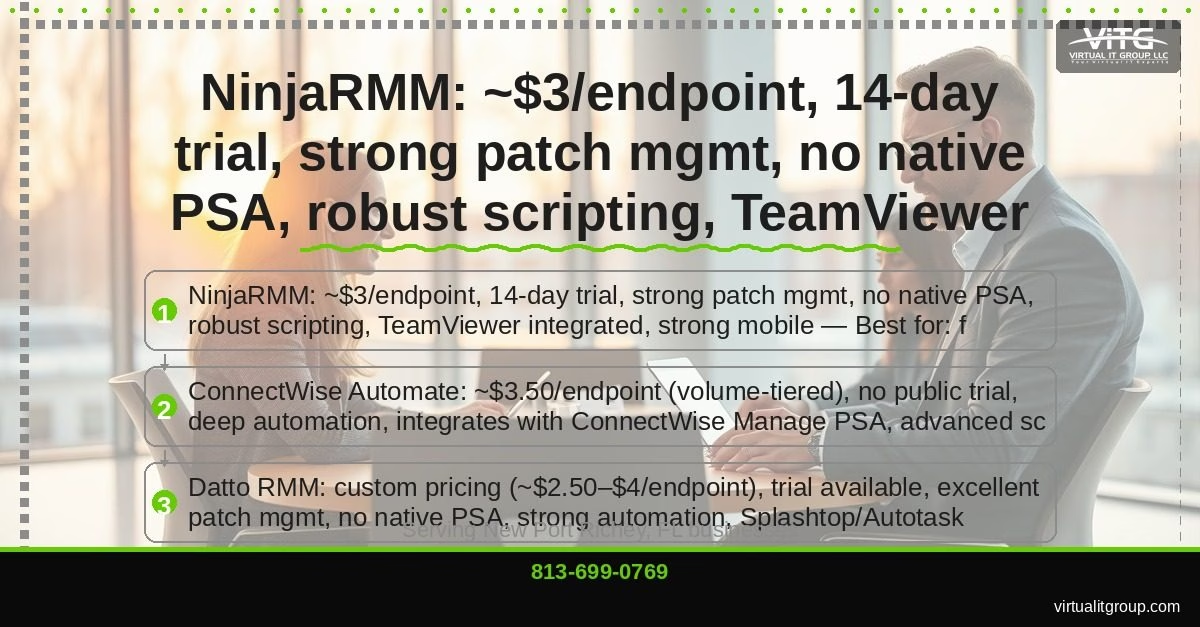
| NinjaRMM | Per endpoint | 14-day | No (integrates) | Excellent | TeamViewer | Fast-growing small MSPs |
| ConnectWise Automate | Volume-tiered per endpoint | No public trial | No (CW Manage) | Advanced | ScreenConnect | ConnectWise ecosystem MSPs |
| Datto RMM | Custom/quote-based | Available | No (Autotask) | Excellent | Splashtop | BCDR-focused MSPs |
| Atera | Flat per-tech, unlimited endpoints | Yes | Yes (built-in) | Good | Splashtop | Solo techs & micro-MSPs |
| SuperOps | Flat per-tech, unified PSA+RMM | Yes | Yes (native) | Maturing | Built-in | Modern AI-first MSPs |
NinjaRMM — Best Overall RMM for Small MSPs Scaling in Tampa Bay
TL;DR: NinjaRMM is the best overall RMM for small MSPs in the Tampa Bay area. Its cloud-native architecture, low learning curve, and strong integration ecosystem make it the most practical choice for teams of one to five technicians managing between 50 and 300 endpoints.
What I’ve noticed over the past few years is that NinjaRMM consistently wins on onboarding speed. A new client in New Port Richey can be fully monitored, policies applied, and patching scheduled within hours of deploying the agent. That matters when you’re a two-tech shop and you just signed a 30-endpoint client on a Friday afternoon. ConnectWise Automate would have you configuring scripts until Tuesday.
The patch management engine is genuinely strong — granular scheduling, policy-based deployment, and clear reporting on compliance status. Given that CISA’s Known Exploited Vulnerabilities catalog consistently shows unpatched software as the leading attack vector for SMBs, this is the feature I weight most heavily in any RMM evaluation.
NinjaRMM’s integration list covers the full MSP stack: ConnectWise Manage, HaloPSA, IT Glue, Bitdefender GravityZone, Webroot, and Acronis. The TeamViewer remote access integration is reliable and low-latency, which matters when you’re remoting into a client’s machine in Pasco County from your office in South Tampa.
The honest weakness: there’s no native PSA. You’ll need a separate ticketing and billing tool, which adds cost and a second system to maintain. Reporting customization is also limited compared to ConnectWise Automate — if your clients want heavily branded monthly business reviews, you’ll be exporting data and building those reports elsewhere.
Key takeaway: NinjaRMM is the best starting point for small MSPs in Tampa Bay — fast deployment, clean interface, predictable per-endpoint pricing, and an integration ecosystem that covers every tool your stack likely needs.
ConnectWise Automate — Best RMM for MSPs Already in the ConnectWise Ecosystem
TL;DR: ConnectWise Automate is the most powerful automation engine in this comparison, but it demands significant configuration time and technical depth. It’s the right choice only if you’re already using ConnectWise Manage as your PSA and have the bandwidth to build it out properly.
I’ll be honest — I’ve seen small MSPs buy ConnectWise Automate because of its reputation, then spend three months fighting the configuration instead of serving clients. The scripting engine is genuinely exceptional. You can automate patch cycles, user onboarding, software deployment, and custom alert responses at a depth that NinjaRMM simply doesn’t match. But that power comes with a real cost: expect a 60 to 90 day ramp-up before you’re getting meaningful ROI from the platform.
The pricing structure is volume-tiered and not publicly listed — you’ll need a sales conversation to get actual numbers. At scale (200+ endpoints), it can become cost-effective, especially when bundled with ConnectWise Manage and ScreenConnect. For a small MSP in the Westchase or Downtown Tampa market serving mostly 20 to 50 seat clients, that scale may be a long way off.
The deep integration between ConnectWise Automate and ConnectWise Manage is a genuine operational advantage if you’re already in that ecosystem. Tickets, alerts, and automation workflows flow between the two platforms without manual intervention. ScreenConnect remote access is also excellent — fast, stable, and well-integrated.
The legacy UI is a real friction point. Parts of the interface feel like they haven’t been redesigned since 2012, which creates a steeper learning curve for new technicians.
Key takeaway: ConnectWise Automate is best for established MSPs already running ConnectWise Manage who need maximum automation depth and have a dedicated admin to configure and maintain the platform.
If you’re evaluating whether ConnectWise Automate fits your current stack, our team at Virtual IT Group can walk through the decision with you. Call (813) 699-0769 — no sales pitch, just an honest conversation about fit.
Datto RMM — Best RMM for MSPs Who Prioritize Backup and Disaster Recovery Integration
TL;DR: Datto RMM is purpose-built for MSPs who are already Datto partners. The tight integration between RMM monitoring and Datto’s backup and disaster recovery stack creates a single operational view that’s genuinely difficult to replicate with separate tools.
For MSPs serving clients in coastal Pasco County and the New Port Richey area, business continuity planning isn’t optional — it’s a core service offering. Hurricane season alone creates enough client anxiety around data protection that backup and disaster recovery integration belongs at the top of your RMM evaluation criteria. Datto RMM addresses this directly: backup job status, ransomware detection alerts, and BCDR health checks all surface inside the same console your technicians use for endpoint monitoring.
The ComStore (Datto’s script and component library) is a solid resource that reduces the time your team spends writing custom automation from scratch. Network topology mapping is a feature I haven’t seen executed as cleanly in NinjaRMM or Atera. According to the Veeam 2024 Ransomware Trends Report, 76% of organizations were attacked at least once in the prior 12 months — making integrated ransomware detection alerts a feature worth paying attention to, not a checkbox.
Here’s the complication: Kaseya’s acquisition of Datto changed the pricing and bundling structure significantly. Several MSPs I’ve spoken with in the Tampa Bay market report that post-acquisition support quality has declined, and pricing transparency has gotten worse, not better. If you’re not already a Datto partner, the case for Datto RMM as a standalone tool is weaker than it was three years ago.
Key takeaway: Datto RMM is the strongest choice for MSPs already embedded in the Datto/Kaseya ecosystem who want a single pane of glass for RMM monitoring and backup and disaster recovery management.
Atera — Best RMM for Solo Technicians and Micro-MSPs Watching Per-Endpoint Costs
TL;DR: Atera’s flat per-technician pricing with unlimited endpoints eliminates the per-endpoint cost anxiety that can make traditional RMM pricing feel punishing as your client base grows. For a solo tech or a two-person MSP, the math is hard to argue with.
The model is genuinely disruptive. A solo technician managing 150 endpoints pays the same monthly rate as managing 400. That pricing structure removes a psychological barrier that causes many small MSPs to undercharge clients or avoid taking on new business because they’re worried about what it’ll cost them in RMM fees. We regularly recommend Atera to startup MSPs in the New Port Richey and Westchase markets as a low-risk entry point before they reach the scale where a per-endpoint model becomes more economical.
The built-in PSA is a real differentiator at this price point. Ticketing, billing, and RMM in one platform means one fewer vendor relationship, one fewer monthly invoice, and one fewer integration to maintain. The AI-assisted ticket summarization is genuinely useful — it reduces the time a tech spends reading ticket history before jumping on a call with a client.
The honest limitations: Atera’s scripting engine is less capable than NinjaRMM’s, and significantly less capable than ConnectWise Automate’s. Reporting is functional but basic. As you grow beyond three or four technicians, you’ll start hitting walls in what the platform can automate. At that point, migrating to a more capable platform becomes the right move — and migrations are never free in time or disruption.
Side note: Atera added AI features fairly aggressively in 2024 and 2025, which is worth watching. Some of those features are genuinely useful; others feel like checkbox additions. Evaluate the current build, not the roadmap.
Key takeaway: Atera is the best entry-level RMM for solo technicians and micro-MSPs who want an all-in-one platform with no per-endpoint pricing exposure and a built-in PSA to keep overhead low.
SuperOps — Best RMM for Modern MSPs Who Want AI-Assisted Automation Without Legacy Bloat
TL;DR: SuperOps is the newest entrant in this comparison and the most interesting one to watch. Founded in 2020, it was built from scratch with a unified PSA and RMM architecture — no legacy code, no retrofitted integrations, just a clean modern platform with AI-assisted features baked in from the start.
The AI-powered ticket suggestions and workflow automation are genuinely useful for small teams. SuperOps can analyze ticket history and suggest automation rules that would have prevented repeat issues — the kind of insight that usually requires a dedicated RMM admin to identify manually. For a two-tech MSP serving clients in South Tampa and Downtown Tampa, that cognitive offload matters.
The pricing is competitive with Atera, and the unified PSA and RMM integration is tighter than anything you’ll get from NinjaRMM plus a separate PSA tool. The client portal and project management module are features you’d typically need to bolt on from a third-party tool with other platforms.
The trade-offs are real. SuperOps has a smaller integration ecosystem than NinjaRMM or ConnectWise Automate. Patch management is functional but still maturing compared to the more established platforms. The community and third-party support resources are smaller, which means when you hit an unusual problem at 10pm, you’re more likely to be waiting on vendor support than finding an answer in a forum thread.
The weird part? SuperOps is often priced lower than Atera for comparable feature sets, yet it’s less well-known in the Tampa Bay MSP community. That gap is closing fast.
Key takeaway: SuperOps is the right choice for tech-forward MSPs in Tampa Bay who want a modern, AI-assisted platform and are willing to trade some integration depth for a faster, cleaner workflow without legacy architecture.
What Should a Small MSP in New Port Richey Actually Look for in an RMM Tool?
A small MSP in New Port Richey should prioritize pricing model fit, onboarding speed, and patch management reliability above all other criteria. Those three factors have the most direct impact on daily operational efficiency and client security outcomes.
Here’s how I’d rank the full evaluation criteria for a Tampa Bay small MSP:
- Pricing model fit: Per-endpoint pricing scales predictably as you grow but can feel expensive early. Flat per-tech pricing removes endpoint cost anxiety but may not remain economical at larger team sizes. Know your growth trajectory before you commit.
- Onboarding speed: How fast can you deploy the agent to a new client’s endpoints and get monitoring active? In a competitive market like Pasco County, onboarding speed is a client experience differentiator.
- Patch management reliability: Unpatched software remains the leading attack vector for SMBs, according to NIST’s Cybersecurity Framework guidance. Your RMM’s patch management engine needs to be dependable, not aspirational.
- PSA integration: Native PSA integration (Atera, SuperOps) reduces overhead. Third-party PSA integration (NinjaRMM, ConnectWise Automate, Datto RMM) gives you more flexibility but adds complexity and cost.
- Remote access quality: Latency matters when you’re supporting a client in New Port Richey from an office in Hillsborough County. Test the remote access tool under real network conditions before you commit.
- Vendor support quality: Small MSPs don’t have a dedicated RMM admin. When something breaks in the platform, you need vendor support that responds in hours, not days.
As I said to a group of MSP owners at a Tampa Bay IT roundtable last year: “The best RMM is the one your team will actually use consistently — complexity kills compliance.” A powerful platform that nobody configures correctly is worse than a simpler platform that runs reliably.
Virtual IT Group evaluates and manages RMM platforms on behalf of SMB clients who want managed IT services without building an internal IT department. If you’re an SMB owner trying to figure out whether to hire an MSP or build internal IT capacity, that’s a conversation worth having. Call (813) 699-0769 and we’ll give you an honest answer based on your specific situation in Tampa Bay.
The average Tampa Bay SMB spends 6.2% of revenue on IT, but businesses that invest strategically in managed IT see 23% higher operational efficiency — a figure that reflects what happens when the right tools and the right processes are actually aligned. Tool selection is one piece of that alignment.
Key takeaway: For small MSPs in New Port Richey, the right RMM tool is the one that fits your pricing model, deploys fast, patches reliably, and integrates cleanly with the PSA and security tools you’re already running.
Which RMM Tool Wins? Our Verdict for Tampa Bay MSPs in 2025
The overall winner for small MSPs in Tampa Bay is NinjaRMM. It delivers the best balance of onboarding speed, patch management reliability, integration ecosystem, and pricing predictability for teams of one to five technicians. It’s not perfect — the lack of a native PSA is a real gap — but no other platform in this comparison matches its combination of usability and capability at the small MSP scale.
Here’s the use-case breakdown:
- NinjaRMM: Best overall for small MSPs scaling across Tampa Bay
- ConnectWise Automate: Best for MSPs already in the ConnectWise ecosystem with the technical depth to configure it
- Datto RMM: Best for BCDR-focused MSPs already partnered with Datto/Kaseya
- Atera: Best for solo technicians and micro-MSPs who want unlimited endpoints and a built-in PSA
- SuperOps: Best for modern, AI-first MSPs willing to trade integration depth for a cleaner platform
Tool selection is only one piece of the equation. I’ve seen MSPs running NinjaRMM deliver poor client outcomes because their processes and documentation were broken. The platform enables good work — it doesn’t replace it.
Virtual IT Group has been serving Tampa Bay businesses for 20 years. We’ve evaluated, deployed, and migrated between multiple RMM platforms — this comparison reflects real operational experience, not vendor marketing. If you’re an SMB owner in New Port Richey, South Tampa, Westchase, or Downtown Tampa who wants the benefits of a best-in-class RMM stack without managing it yourself, contact us for a free IT assessment.
Call (813) 699-0769 or visit virtualitgroup.com to schedule your no-obligation assessment. We’ll review your current environment, identify the gaps, and give you a clear picture of what managed IT should actually look like for your business.
FAQ: RMM Tools for Small MSPs in Tampa Bay, FL
What is the best RMM tool for a small MSP in New Port Richey or Pasco County?
NinjaRMM is the best overall RMM tool for small MSPs in New Port Richey and the broader Pasco County market. Its cloud-native architecture, fast agent deployment, and strong patch management make it the most practical choice for teams of one to five technicians. If you’re a solo tech watching overhead costs, Atera’s flat per-technician pricing with unlimited endpoints is worth a serious look before committing to a per-endpoint model.
What does RMM software actually do for an MSP?
Remote Monitoring and Management (RMM) software is a platform that allows MSP technicians to monitor client endpoints (computers, servers, network devices) for health and security issues, deploy software patches automatically, run scripts remotely, and connect to client machines for support — all from a centralized console. Without an RMM platform, MSPs rely on manual processes that don’t scale and leave client environments exposed to preventable failures.
How do I choose between per-endpoint pricing and flat per-technician pricing for my MSP?
Per-endpoint pricing (NinjaRMM, ConnectWise Automate, Datto RMM) scales predictably as your client base grows but can feel expensive in the early stages when endpoint counts are low relative to your tech capacity. Flat per-technician pricing (Atera, SuperOps) removes per-endpoint cost anxiety and becomes more economical as you add endpoints without adding technicians. The right model depends on your growth trajectory — if you’re adding clients faster than technicians, flat pricing typically wins; if you’re adding technicians to serve a stable client base, per-endpoint pricing may be more economical. Call Virtual IT Group at (813) 699-0769 for a personalized recommendation based on your specific situation.
Is ConnectWise Automate worth it for a small MSP in Tampa Bay?
ConnectWise Automate is worth it only if you’re already using ConnectWise Manage as your PSA and have the technical bandwidth to configure the platform properly. Expect a 60 to 90 day ramp-up period before you see meaningful return. For a small MSP in Tampa Bay with one to three technicians and no dedicated RMM admin, the configuration overhead typically outweighs the automation benefits until you reach significant endpoint scale. NinjaRMM or Atera will serve most small Tampa Bay MSPs better in the near term.
How does RMM software help with cybersecurity for Tampa Bay SMB clients?
RMM software improves cybersecurity for Tampa Bay SMB clients primarily through automated patch management, which closes the software vulnerabilities that attackers exploit most frequently. According to CIS Controls guidance, continuous vulnerability management (which includes systematic patching) is one of the highest-priority security controls for SMBs. Advanced RMM platforms like Datto RMM also include ransomware detection alerts and integrate with backup and disaster recovery systems — critical capabilities for businesses in hurricane-prone areas like coastal Pasco County where business continuity planning is essential. If your current MSP can’t show you a patch compliance report for your endpoints, that’s a gap worth addressing immediately.
AI-assisted content.