
If your Clearwater business is still managing passwords through shared spreadsheets, sticky notes, or the “just remember it” system, you’re carrying a security risk that attackers actively target. Credential theft is the leading entry point for small business breaches nationwide, and Pinellas County’s dense mix of healthcare practices, hospitality businesses, professional services firms, and retail operations makes it a particularly attractive hunting ground. The good news: deploying a business-grade password manager is one of the fastest, most cost-effective security improvements your team can make — most businesses with 5 to 50 employees are fully up and running within one to three business days when working with a local managed IT partner. This post walks through exactly how that works, what compliance requirements are driving the urgency, and why Clearwater businesses specifically can’t afford to wait.
Last Updated: November 23, 2026
Why Are Clearwater Businesses Prime Targets for Credential-Based Cyberattacks?
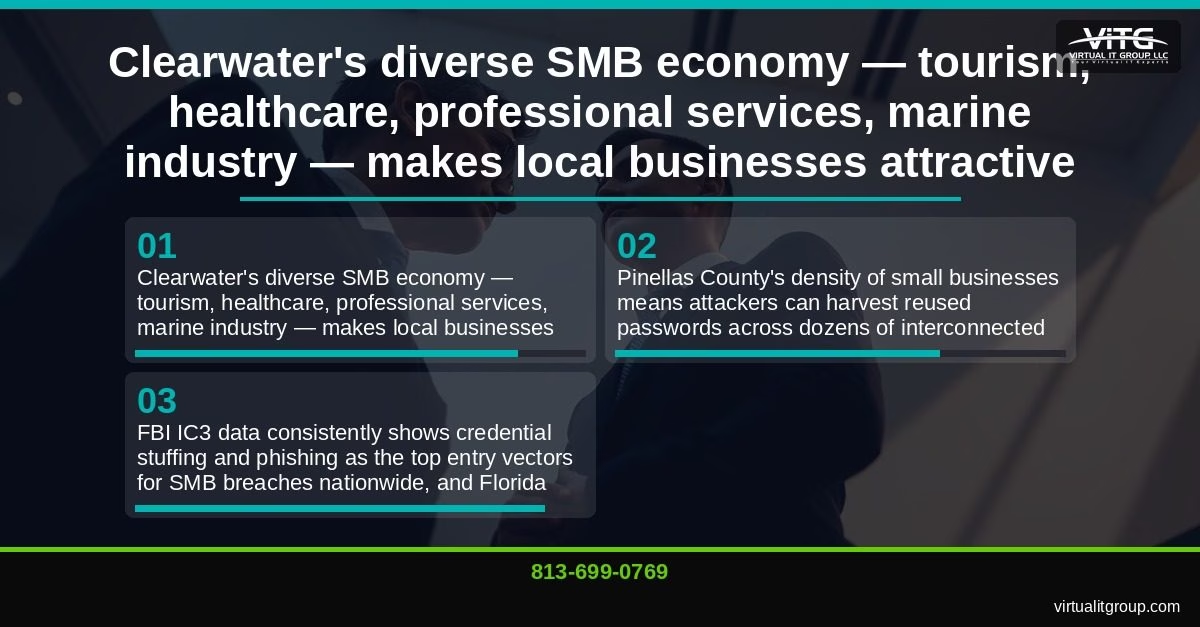
Clearwater’s economy is genuinely diverse — tourism and hospitality along Clearwater Beach, medical offices clustered near Morton Plant Hospital, professional services firms throughout the Countryside corridor, marine industry businesses near the waterfront, and a growing technology sector. That diversity is an asset for the local economy. For attackers, it’s a menu.
Here’s the core problem: Pinellas County’s density of interconnected small businesses means that a single compromised credential rarely stays contained. A vendor login stolen from a Clearwater accounting firm can open doors into the client networks that firm serves. A reused password from a hospitality worker’s personal account can unlock a hotel’s reservation system. Attackers know this, and they run automated credential stuffing campaigns specifically designed to exploit it.
The FBI’s IC3 Internet Crime Report consistently identifies phishing and credential theft as the top entry vectors for small business breaches. Florida ranks among the most-targeted states in the country, year after year. That’s not a coincidence — Florida’s high business density, significant tourism economy, and concentration of healthcare and financial services create exactly the environment attackers prefer.
I’ve seen this play out locally. A Dade City logistics firm lost access to three cloud applications after a single employee reused a password from a breached consumer account. The breach wasn’t sophisticated. It was entirely preventable. The fix cost far more in recovery time than a password manager deployment would have cost in the first place.
Key takeaway: Clearwater businesses across healthcare, hospitality, and professional services share a common vulnerability — credential reuse at scale — and Florida’s position as a top-targeted state makes addressing this a genuine operational priority, not a theoretical one.
What Is Password Manager Deployment, and Why Is It a “Quick Win” for Your Business?
Enterprise-grade password manager deployment is the process of licensing, configuring, and rolling out a business-class credential management platform — tools like Bitwarden Business, 1Password Teams, Keeper for Business, or NordPass Business — across your entire organization, with admin controls, policy enforcement, and audit logging in place from day one.
This is fundamentally different from telling your team to “download LastPass” on their own. Consumer tools lack admin visibility, enforce no policies, and leave you with orphaned vaults full of company credentials when an employee quits. That’s not a security control — it’s a slightly better sticky note.
The deployment lifecycle, when managed properly, looks like this: licensing and platform selection, policy configuration, employee onboarding with actual training, integration with your existing identity systems (Microsoft 365, Google Workspace, or whatever line-of-business apps your team uses), and then ongoing management including breach monitoring and offboarding workflows. Done right, the whole process takes one to three business days for most Clearwater SMBs.
The quick-win framing is honest. Most of our new clients at Virtual IT Group, LLC have been managing passwords in ways that create immediate, measurable risk. Deploying a business password manager closes that exposure faster than almost any other security initiative. It also satisfies documented requirements under HIPAA, PCI-DSS, and Florida’s cybersecurity frameworks — which means it simultaneously improves your security posture and your compliance documentation.
If your team is sharing login credentials via text message or a shared notes document right now, call us at (813) 699-0769 — we can walk through what a structured deployment looks like for your specific business and team size.
Key takeaway: Business-grade password manager deployment is a structured, policy-driven process that takes one to three business days for most SMBs and immediately reduces credential reuse, phishing exposure, and compliance gaps.
How Does Password Manager Deployment Work for a Clearwater or Pinellas County Business?
The process we use at Virtual IT Group, LLC follows six steps. Each one matters — skipping any of them is how DIY deployments fall apart.
- Discovery and Audit: We assess your current credential hygiene. That means identifying shared and generic accounts (the dreaded “office@yourbusiness.com” that six people know the password to), mapping your application inventory, and flagging accounts that appear in known breach databases. For a Countryside-area medical office, this audit often surfaces 15 to 30 shared credentials that nobody realized were a problem.
- Platform Selection: We recommend the right tier based on your team size, compliance requirements, and workflow. A Clearwater dental practice with HIPAA obligations has different needs than a Gibsonton trades business with five employees and no regulated data. We’re vendor-neutral — we recommend what fits your situation, not what pays us the highest margin.
- Policy Configuration: This is where managed deployment earns its value. We set master password complexity requirements, enforce multi-factor authentication on the vault itself, and configure role-based collection sharing. Your front desk staff shouldn’t have access to your payroll credentials. Your management team shouldn’t share a single login to your accounting platform. Proper role separation is configured here, not assumed.
- Employee Onboarding: We provide guided rollout with training documentation written for non-technical staff. This step is especially important for Clearwater’s hospitality and retail workforce, where high turnover means you’re constantly onboarding new people. The training has to be simple enough that a new hire on their first week can follow it without calling IT.
- Integration: Modern business password managers connect to Microsoft 365 via Azure Active Directory (Entra ID) for single sign-on, which is ideal for the Microsoft-heavy environments we see across Tampa Bay professional services firms. Google Workspace integration works similarly. We also connect to line-of-business applications your team uses daily.
- Ongoing Management: Monthly dark web credential monitoring reports, structured offboarding workflows when employees leave, and quarterly policy reviews. This is where the long-term security value compounds.

At first I thought the onboarding step was the easiest part of deployment — turns out it’s consistently the one that determines whether the rollout sticks. Teams that get proper training adopt the tool. Teams that get a link to a help article don’t.
Key takeaway: A properly managed password manager deployment for a Clearwater or Pinellas County business follows six defined steps — from credential audit through ongoing monitoring — and takes one to three business days when handled by an experienced managed IT provider.
What Compliance Requirements Are Driving Password Security for Clearwater’s Healthcare, Finance, and Retail Sectors?
This isn’t just a best-practice conversation. For a significant portion of Clearwater’s business community, password management is a documented regulatory requirement.
HIPAA Security Rule (§164.312) requires unique user identification and automatic logoff controls. Every medical office in the BayCare and Morton Plant ecosystem operating without individual credentials and a managed password system is carrying a documented compliance gap. A business-grade password manager with audit logging provides direct, auditable evidence of compliance with both controls.
PCI-DSS v4.0 Requirement 8 mandates individual credentials, specific password complexity standards, and the elimination of shared accounts for anyone handling cardholder data. That covers every Clearwater Beach hotel, every retail business along US-19, and every restaurant processing card payments. The PCI Security Standards Council’s documentation is explicit: a deployed, auditable password management system is the standard of evidence auditors expect.
The Florida Information Protection Act (FIPA) and the Florida Digital Bill of Rights (effective 2024) add state-level data protection obligations that increase your liability exposure for credential-related breaches. Florida’s breach notification requirements are among the stricter in the Southeast — a credential compromise that exposes personal data triggers mandatory reporting timelines your business needs to be prepared for.
The FTC Safeguards Rule applies directly to auto dealers along US-19, mortgage brokers, and financial advisors in downtown Clearwater. It requires documented access controls, and the FTC has been actively enforcing it. Cyber insurance underwriters have also started requiring demonstrable password management controls as a condition of coverage — several carriers we’ve worked with now ask for it explicitly during the application process.
Need help understanding which of these frameworks applies to your Clearwater business? Call Virtual IT Group, LLC at (813) 699-0769 — we’ve guided Tampa Bay businesses through multiple regulatory cycles over the past 20 years.
Key takeaway: Clearwater businesses in healthcare, retail, financial services, and hospitality face specific regulatory requirements — HIPAA §164.312, PCI-DSS v4.0 Req. 8, FIPA, and the FTC Safeguards Rule — that a properly deployed password manager directly addresses with auditable evidence.
Which Areas of the Tampa Bay Region Does Virtual IT Group Serve for Password Manager Deployment?
Virtual IT Group, LLC serves businesses throughout Clearwater, FL and the broader Tampa Bay region. Our primary service area includes:
- Clearwater and Clearwater Beach (Pinellas County)
- Dunedin, Safety Harbor, Largo, and Palm Harbor
- St. Petersburg and the greater Pinellas County area
- Tampa and Brandon
- Riverview, Gibsonton, and Dover
- Plant City and Dade City
- New Port Richey and Wesley Chapel

The Clearwater Countryside corridor — the stretch of professional services, medical offices, and technology firms along SR-580 and surrounding areas — is one of the highest-density concentrations of ideal password manager candidates we serve. These are businesses with 10 to 75 employees, often running Microsoft 365, often under some form of compliance obligation, and often managing credentials in ways that would make a security auditor wince.
Gibsonton and Dover present a different profile. Smaller businesses in logistics, trades, and light manufacturing often operate with minimal or no dedicated IT staff. A managed password deployment fills that expertise gap directly — they get enterprise-grade credential security without needing to hire an IT person to maintain it.
Dade City’s growing SMB community along the US-98 corridor, including agricultural services firms and professional offices, faces a specific challenge: remote workers accessing company systems from personal devices, often with no credential policies in place. Password manager deployment with mobile app support solves this cleanly.
Side note: Clearwater Beach’s hospitality businesses present a seasonal staffing wrinkle that skews the credential risk profile significantly. When you’re onboarding 30 seasonal workers in October and offboarding them in April, the credential sprawl compounds fast. We’ve built offboarding workflows specifically for this cycle.
Key takeaway: Virtual IT Group, LLC serves the full Tampa Bay region — from Clearwater and Pinellas County through Gibsonton, Dover, Dade City, and beyond — with on-site deployment capability and local knowledge of each area’s specific business and compliance context.
Why Do Clearwater Businesses Choose Virtual IT Group for Password Manager Deployment?
I’ll be honest — there are national managed service providers who will sell you a password manager deployment as a checkbox item. You’ll get a license key, a PDF guide, and a support ticket queue in another time zone. That’s not what we do.
Virtual IT Group, LLC is a local Tampa Bay team. We conduct on-site onboarding sessions at your Clearwater office if that’s what your team needs. We know the difference between a Countryside medical practice’s workflow and a Clearwater Beach hotel’s front-desk operation, and we configure the deployment accordingly.
As the author of this post and CEO of Virtual IT Group, I hold CompTIA Security+ and Microsoft certifications, and I’ve spent 20 years working directly with Tampa Bay SMBs on exactly these problems.
The practical example that sticks with me: a Clearwater dental practice with 18 staff members was fully deployed on Bitwarden Business in two business days. Before we arrived, the front desk was sharing a single login to their practice management software via a sticky note on the monitor. After deployment, every staff member had individual credentials, the admin team had visibility into vault health, and the practice passed their next HIPAA audit without a single credential-related finding. That’s the outcome we’re aiming for every time.
Password management also integrates directly with the broader managed IT services we provide — endpoint protection, Microsoft 365 management, and dark web monitoring — so your security controls work together rather than in isolation.
Ready to get your Clearwater business protected? Schedule a no-obligation assessment with our team at (813) 699-0769 or visit virtualitgroup.com. We’ll walk through your current credential situation and show you exactly what a deployment would look like for your team.
Key takeaway: Virtual IT Group, LLC combines 20 years of Tampa Bay market experience, local on-site deployment capability, and vendor-neutral platform recommendations to deliver password manager deployments that stick — with compliance outcomes to show for it.
Frequently Asked Questions: Password Manager Deployment for Tampa Bay Businesses
How long does it take to deploy a password manager for a small Clearwater business?
Most Clearwater and Pinellas County businesses with 5 to 50 employees are fully deployed within one to three business days when working with a managed IT provider like Virtual IT Group, LLC. That timeframe includes policy configuration, user onboarding with training, and initial vault migration. Larger teams or more complex compliance environments — like a multi-location healthcare practice near Morton Plant — may take four to five business days. We also offer after-hours and weekend deployment to minimize disruption to customer-facing operations.
Which password manager is best for a Pinellas County business with HIPAA compliance requirements?
Bitwarden Business and Keeper for Business both offer HIPAA-eligible configurations with the audit logging and access controls that compliance requires. The right choice depends on your specific workflow, team size, and existing identity infrastructure. Virtual IT Group evaluates your environment before recommending a platform — there’s no single right answer for every Clearwater healthcare practice, and we don’t push one vendor over another for margin reasons.
Can a password manager work with our existing Microsoft 365 setup in Tampa Bay?
Yes. Modern business password managers integrate with Azure Active Directory (now called Entra ID) for single sign-on, which is the standard identity platform for the Microsoft 365 environments we see across Tampa Bay professional services firms. This integration means your team logs in once with their Microsoft credentials and gains access to their password vault without a separate authentication step — cleaner for users, more auditable for your IT team.
What happens to company passwords when an employee leaves our Clearwater business?
A properly deployed password manager with admin controls allows instant vault access revocation the moment an employee is offboarded. Shared credentials the departing employee had access to can be immediately rotated. This is a critical workflow for high-turnover businesses like Clearwater Beach hospitality and retail — without it, former employees may retain access to company systems indefinitely. We build structured offboarding checklists into every deployment we manage.
Is password manager deployment a one-time project or an ongoing managed IT service?
Both. The initial deployment is a defined project with a start and end date. The ongoing value comes from monthly dark web credential monitoring (which alerts you when your business credentials appear in breach databases), policy updates as your team and application stack evolve, and structured offboarding management. Virtual IT Group, LLC provides all of this as part of our managed IT services — so you’re not left maintaining the system yourself after the initial rollout.
Virtual IT Group, LLC | Serving Clearwater, FL and the Greater Tampa Bay Area | (813) 699-0769 | virtualitgroup.com
AI-assisted content.