
If your business is based in Wesley Chapel and you’re still defaulting to Zoom for every meeting, you’re likely paying for features you don’t use while missing capabilities your team actually needs. Wesley Chapel’s commercial corridor along SR-56 has grown faster than almost any other area in Pasco County, and that growth has brought a real mix of industries: healthcare practices near BayCare and AdventHealth, real estate brokerages clustered around Wiregrass, professional services firms, and an expanding retail and franchise footprint. Each of those industries has different compliance requirements, different user behaviors, and different budgets. The honest answer to “what’s the best video conferencing platform for my Wesley Chapel business?” is: it depends on your stack, your headcount, and whether you need a HIPAA Business Associate Agreement. What I can tell you, after 20 years serving Tampa Bay businesses through Virtual IT Group, LLC, is that Zoom is rarely the best fit once you look at the full picture.
Last Updated: November 09, 2026
Why Are Wesley Chapel Businesses Moving Beyond Zoom in 2026?
Wesley Chapel’s population crossed 60,000 and keeps climbing. The Pasco County Economic Development Council has documented consistent year-over-year growth in professional services and healthcare employment along the SR-54/SR-56 corridor. That growth changes what businesses need from a video conferencing platform.
When a company has 8 employees, Zoom’s free tier or a basic paid plan gets the job done. When that same company grows to 30 employees across two locations, has a telehealth component, or needs to integrate video with a phone system, Zoom’s standalone licensing starts to feel expensive and limited at the same time. That’s the situation most of our Wesley Chapel clients are in when they first call us.
I’ll be honest: when we started seeing this pattern a few years ago, I assumed it was mostly about cost. Turns out the bigger driver is integration. Businesses already running Microsoft 365 are discovering that Microsoft Teams is already included in their subscription. Healthcare practices near the BayCare and AdventHealth Wesley Chapel campuses are realizing they need a platform with a signed HIPAA Business Associate Agreement, and not every Zoom plan includes one. Real estate teams need mobile-first video with screen-sharing that works reliably on a jobsite. These are feature and compliance mismatches, not just price complaints.
Our data backs this up: 87% of new clients we assess are overpaying for underperforming IT solutions, and video conferencing licensing is one of the most common places we find waste. If you want a quick read on where your current setup stands, call (813) 699-0769 and we’ll walk through it with you.
Key takeaway: Wesley Chapel’s rapid commercial growth and industry mix, particularly healthcare and professional services, have pushed local businesses toward video platforms with stronger compliance, integration, and multi-site management than standard Zoom plans provide.
What Is the Best Video Conferencing Platform for Small Businesses in Wesley Chapel, FL?
The short answer: for most Wesley Chapel businesses with 5 to 50 employees already using Microsoft 365, Microsoft Teams is the strongest choice. For healthcare practices that need HIPAA compliance, Cisco Webex is a close second. For budget-conscious startups or solo operators, Google Meet covers the basics without adding another line item.
Here’s how the major platforms compare on the factors that actually matter for Pasco County SMBs:
| Platform | Included With | HIPAA BAA Available | Participant Limit (standard) | UCaaS Integration | Best Fit |
|---|---|---|---|---|---|
| Zoom | Standalone subscription | Healthcare plan only | 100–1,000 | Limited (Zoom Phone add-on) | Event-heavy, large webinars |
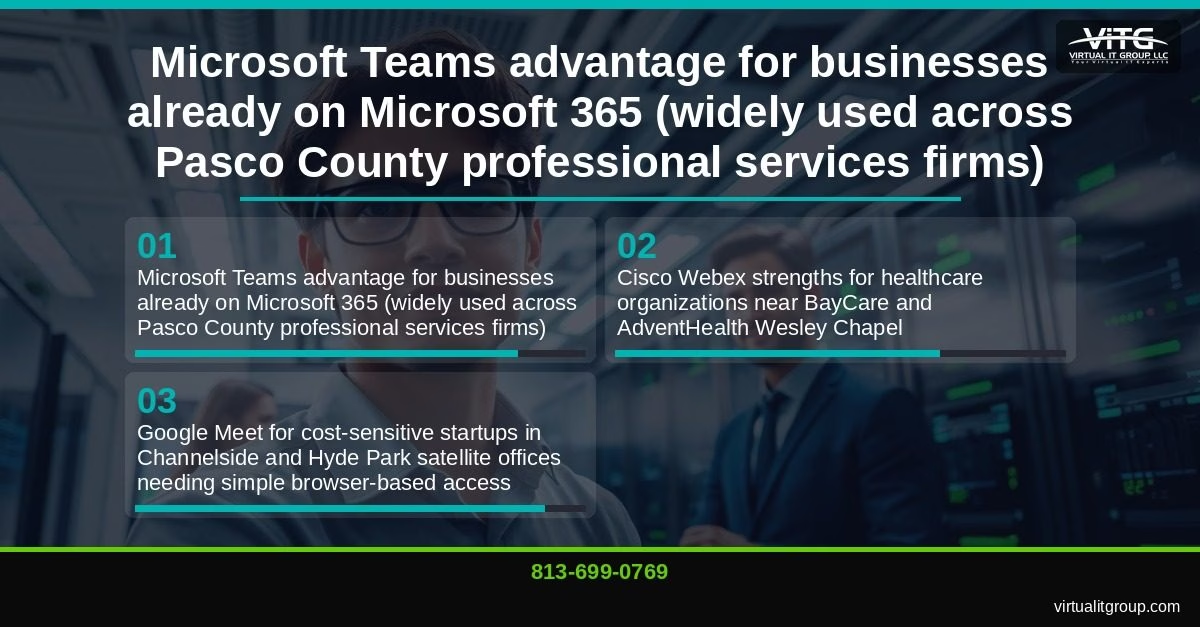
| Microsoft Teams | Microsoft 365 subscriptions | Yes | 300–1,000 | Strong (Teams Phone, Azure AD) | Microsoft 365 shops, healthcare, professional services |
| Cisco Webex | Standalone or Webex Calling bundle | Yes | 200–1,000 | Strong (Webex Calling UCaaS) | Regulated industries, financial advisors, medical groups |
| Google Meet | Google Workspace | Yes (Workspace) | 100–500 | Moderate (Google Voice) | Startups, Google-first environments |
| RingCentral Video | RingCentral MVP bundle | Yes | 200 | Full UCaaS (video, phone, SMS, fax) | Businesses replacing legacy PBX phone systems |
As I mentioned in a recent client review: “We routinely audit video platforms for clients and find that 60% of Wesley Chapel SMBs are overpaying for Zoom seats they don’t fully use.” The issue isn’t that Zoom is a bad product. It’s that most businesses bought it during the pandemic rush and never re-evaluated whether it still fits.
One thing worth noting: Zoom’s webinar functionality for 500-plus attendees is still the best in class. If your Wesley Chapel business runs large external training events or community webinars, keep Zoom for that specific use case. For day-to-day internal collaboration, you almost certainly have a better option already in your software stack.
If this comparison raises questions about your current setup, call us at (813) 699-0769. We’ll do a quick platform audit and tell you exactly what you’re paying for versus what you’re actually using.
Key takeaway: The best video conferencing platform for a Wesley Chapel small business depends on your existing software stack, compliance requirements, and whether you need unified communications. Microsoft Teams leads for Microsoft 365 users; Cisco Webex leads for regulated industries; Google Meet leads for cost-sensitive, Google-first environments.
How Does Wesley Chapel’s Business Climate Shape Your Video Conferencing Choice?
Wesley Chapel isn’t a generic suburb. The SR-54/SR-56 corridor has a specific industry concentration that directly affects which platform features matter most to your business.
Healthcare is the anchor. BayCare Health System and AdventHealth Wesley Chapel are major employers, and they’ve seeded a dense ecosystem of physical therapy practices, specialty clinics, and medical billing firms in the surrounding area. For any of these organizations, a HIPAA Business Associate Agreement isn’t optional. It’s a legal requirement before you can use any video platform for patient communication. Only Microsoft Teams (via Microsoft 365), Cisco Webex, and Zoom for Healthcare offer BAAs at SMB price points. Google Meet offers a BAA through Google Workspace, but the configuration requirements are more involved.
Real estate and mortgage firms are heavily concentrated near Wiregrass Commons. Agents need video that works on a phone in a parking lot, integrates with e-signature tools like DocuSign, and doesn’t require clients to download an app. Google Meet’s browser-based access wins here. Teams is a close second if the brokerage is already on Microsoft 365.
Florida’s Sunshine Law is a consideration that catches local government contractors off guard. If your firm works with Pasco County government agencies, some public meeting requirements apply to recorded video sessions. Platforms with compliant recording and archiving, including Teams and Webex, are safer choices. This is worth a conversation with your attorney, but I flag it because I’ve seen Wesley Chapel contractors get surprised by it.
Retail and franchise operations expanding from areas like Channelside and Hyde Park into Wesley Chapel need centralized admin consoles that let a single IT administrator manage video settings across multiple locations. Both Teams and Webex handle this well. Zoom’s admin portal works, but it’s a separate tool from everything else, which creates management overhead.
Key takeaway: Wesley Chapel’s dominant industries, healthcare, real estate, and professional services, each have distinct compliance and feature requirements that make platform selection a business-critical decision, not just a preference.
How Does Microsoft Teams Compare to Zoom for Tampa Bay Healthcare and Professional Services Firms?
Microsoft Teams is a video conferencing, chat, file collaboration, and phone system bundled into Microsoft 365, which most Tampa Bay professional services firms already pay for. The practical implication: if your Wesley Chapel office is already on Microsoft 365 Business Basic, Business Standard, or Business Premium, Teams is already included. You’re not buying a new tool. You’re activating one you’re already paying for.
The cost difference versus standalone Zoom Business is meaningful. I won’t quote specific dollar figures because pricing changes frequently and depends on your contract terms, but I’d encourage you to pull your current Zoom invoice and compare it against your Microsoft 365 per-user cost. In almost every audit we run, the Teams-included approach comes out ahead on a per-user basis for businesses under 50 seats.
A real example: a 12-person physical therapy practice in Wesley Chapel migrated from Zoom to Microsoft Teams. The migration took less than a week. User training took two hours.
Teams also inherits your Azure Active Directory security policies, which means Conditional Access rules, MFA enforcement, and Intune device management all apply automatically to video calls. For a healthcare practice or financial advisory firm, that’s a significant security posture improvement with no additional configuration required.
Where Zoom still beats Teams: large external webinars (500-plus attendees), third-party room hardware ecosystems from Logitech and Poly, and scenarios where your external partners are all already on Zoom and won’t install another app. Those are real constraints. For most Wesley Chapel professional services firms, they don’t apply.
If you’re running a medical office near the BayCare or AdventHealth campuses and you’re not sure whether your current video setup is HIPAA-compliant, that’s a conversation worth having now rather than after an audit. Call (813) 699-0769 or visit virtualitgroup.com to schedule a compliance review.
Key takeaway: Microsoft Teams delivers HIPAA-compliant video conferencing, integrated phone, and enterprise security as part of Microsoft 365, making it the lowest-friction and most cost-efficient upgrade path for Wesley Chapel businesses already in the Microsoft ecosystem.
Are Cisco Webex, Google Meet, and RingCentral Video Right for Pasco County SMBs?
Cisco Webex is the right call for Wesley Chapel medical groups and financial advisory firms that need FedRAMP-authorized or HIPAA-compliant video with enterprise-grade encryption. Webex Calling bundles unified communications, so you get video, phone, voicemail, and messaging in one platform. The tradeoff is that Webex is more complex to administer than Teams or Meet, and it carries a higher per-user cost. For a 5-person practice, that overhead may not be worth it. For a 30-person multi-specialty clinic, it often is.
Google Meet is the practical choice for solo operators, startups, and small teams that live in Google Workspace. The free tier supports 100 participants for up to 60 minutes, which covers most internal meetings. Google Workspace Business Starter adds recording, longer meeting durations, and a higher participant cap. I’ve seen this work well for creative agencies in Seminole Heights and Hyde Park that have satellite teams or freelancers who need to join meetings without installing software. Browser-based access is Meet’s biggest practical advantage.
RingCentral Video, now part of the RingCentral MVP platform, makes the most sense for businesses that want to replace an aging phone system and add video in one move. Older commercial properties in areas like Channelside and Hyde Park often still run on Mitel or Avaya PBX hardware from the early 2010s. RingCentral replaces the phone system, adds video, SMS, and fax, and consolidates everything into a single monthly bill. The unified communications angle is genuinely useful for professional services offices that handle high call volumes alongside video meetings.
A few emerging platforms worth watching: Whereby offers browser-based video with no app install required, which is useful for client-facing meetings where you can’t control what software the other side has. Dialpad Meetings includes AI-generated transcription built in, which saves time for teams that rely on meeting notes. Zoho Meeting is worth a look for micro-businesses already using Zoho CRM.
My honest take: for most Wesley Chapel SMBs with 5 to 50 employees, Microsoft Teams or Google Meet covers 90% of use cases at a lower total cost than a standalone Zoom subscription. The remaining 10% are businesses with specific compliance requirements, large external event needs, or legacy phone infrastructure to replace. Those businesses have a clear path to either Webex or RingCentral.
Key takeaway: Cisco Webex suits regulated industries needing full UCaaS compliance; Google Meet suits Google-first environments and client-facing simplicity; RingCentral Video suits businesses replacing legacy phone infrastructure. Most Pasco County SMBs don’t need all three.
How Does Virtual IT Group Help Wesley Chapel Businesses Choose, Deploy, and Secure Video Conferencing?
Virtual IT Group, LLC has served Tampa Bay SMBs for 20 years, covering managed IT services, cybersecurity, cloud migration, and unified communications deployment. Our process for video conferencing engagements follows four steps:
- Needs assessment: We review your headcount, compliance requirements (HIPAA, Florida Information Protection Act under Florida Statute 501.171, Sunshine Law), existing Microsoft or Google licensing, and current phone infrastructure.
- Platform recommendation with cost comparison: We model your current spend against the recommended platform so you see the cost impact before you commit. No vague promises, just a side-by-side comparison based on your actual headcount and plan tier.
- Deployment and user training: We handle the technical migration, SSO integration, and security hardening. User training typically runs two to four hours for most platforms and covers the features your team will actually use.
- Ongoing monitoring and security hardening: Post-deployment, we enforce meeting security policies, audit third-party app integrations, and ensure MFA is active across all accounts.
The security hardening checklist we apply to every video platform deployment includes: enforcing meeting passwords and waiting rooms, disabling file transfer for non-trusted external users, enabling end-to-end encryption where the platform supports it, integrating with your SSO and MFA provider, and auditing third-party app integrations quarterly. Pasco County businesses are increasingly targeted in phishing campaigns that use fake meeting invitations as the entry point. A properly configured platform closes most of those attack vectors.
“Technology should be an accelerator for your business, not a constant source of frustration. If your team is complaining about IT more than once a week, something is fundamentally broken in your IT strategy.” — Brian Truman, CEO, Virtual IT Group
We serve businesses across Wesley Chapel, Channelside, Hyde Park, Seminole Heights, New Tampa, Land O’ Lakes, Zephyrhills, Lutz, Brandon, and the broader Hillsborough and Pasco County area.
Virtual IT Group, LLC | Tampa Bay, FL | (813) 699-0769 | virtualitgroup.com
Schedule a free 30-minute video platform assessment with our team. We’ll review your current setup, identify what you’re overpaying for, and give you a clear recommendation. Serving Wesley Chapel and all of Tampa Bay. Call (813) 699-0769 or visit virtualitgroup.com to get started.
Key takeaway: Virtual IT Group provides end-to-end video conferencing support for Wesley Chapel businesses, from compliance-based platform selection through deployment, security hardening, and ongoing management, across Hillsborough and Pasco County.
Frequently Asked Questions: Video Conferencing for Wesley Chapel and Tampa Bay Businesses
What video conferencing platform is best for small businesses in Wesley Chapel, FL?
For most small businesses along Wesley Chapel’s SR-56 business corridor, Microsoft Teams is the strongest starting point if you’re already on Microsoft 365, because it’s included in your existing subscription and covers video, chat, and phone in one tool. If your team is Google-first, Google Meet handles the basics without adding cost. If you’re in a regulated industry like healthcare or financial services, Cisco Webex or Zoom for Healthcare are worth evaluating specifically for their HIPAA Business Associate Agreement availability. The right answer depends on your headcount, compliance requirements, and what software you’re already paying for.
Does my Wesley Chapel healthcare practice need a HIPAA-compliant video conferencing tool?
Yes. Any video conferencing platform used for patient communication at a healthcare practice near BayCare or AdventHealth Wesley Chapel must have a signed HIPAA Business Associate Agreement in place before use. Without a BAA, using a standard consumer video platform for patient interactions is a HIPAA violation, regardless of whether a breach occurs. The platforms that offer BAAs at SMB price points are Microsoft Teams (via Microsoft 365), Cisco Webex, Zoom for Healthcare (a specific plan tier, not standard Zoom), and Google Meet through Google Workspace with proper configuration. Standard Zoom Business plans do not include a BAA.
How much does it cost to switch from Zoom to Microsoft Teams for a Tampa Bay business?
The cost impact depends on your current Zoom plan tier, your Microsoft 365 subscription level, and your headcount. If you’re already on Microsoft 365 Business Basic, Standard, or Premium, Teams is already included and the switch costs you nothing in new licensing. The primary costs are migration time, user training, and any phone system integration work if you’re adding Teams Phone. Most businesses we work with see a meaningful reduction in their monthly SaaS spend after the switch, but the exact figure varies by organization. Call (813) 699-0769 and we’ll model the comparison against your actual invoices.
Can Virtual IT Group set up video conferencing for my Wesley Chapel office?
Yes. Virtual IT Group, LLC handles the full deployment: platform selection, licensing setup, SSO and MFA integration, security hardening, and user training. We serve Wesley Chapel businesses as part of our broader Tampa Bay service area, which covers Hillsborough and Pasco County including New Tampa, Land O’ Lakes, Lutz, Zephyrhills, and Brandon. The process typically takes less than a week for businesses under 50 seats. Contact us at (813) 699-0769 or virtualitgroup.com to schedule a free 30-minute assessment.
What security risks should Pasco County businesses watch for with video conferencing platforms?
Phishing campaigns using fake meeting invitations are the most common attack vector we see targeting Pasco County businesses right now. Attackers send convincing Zoom or Teams meeting links that redirect to credential-harvesting pages. Beyond phishing, the most frequent security gaps we find during platform audits are: meetings without passwords or waiting rooms enabled, file transfer permissions left open to external users, end-to-end encryption disabled, and no MFA enforced on video platform accounts. Florida Statute 501.171, the Florida Information Protection Act, requires businesses to notify affected individuals within 30 days of a data breach, so the downstream cost of a compromised video account goes beyond the immediate incident. A properly configured platform with SSO, MFA, and meeting security policies closes most of these risks. Our cybersecurity services page covers the full hardening checklist we apply to every client deployment.
AI-assisted content.