

What Is Multi-Factor Authentication and Why Does It Matter for St. Petersburg Businesses?
Multi-factor authentication (MFA) is the single most effective security measure any St. Petersburg or Tampa Bay business can implement to prevent unauthorized access to critical systems. MFA requires users to verify their identity through two or more independent factors before granting access—making stolen passwords virtually useless to attackers.
The cybersecurity landscape has shifted dramatically. According to CISA’s guidance on multi-factor authentication, MFA can block over 99% of automated cyberattacks. For small and mid-sized businesses across Tampa Bay, that statistic isn’t just impressive—it’s a wake-up call. With credential-based attacks surging and Florida consistently ranking among the top states for cybercrime victims, the window for voluntary MFA adoption is closing fast.
Understanding the Basics of Multi-Factor Authentication
MFA works by combining factors from at least two of three categories: something you know (a password or PIN), something you have (a smartphone, hardware security key, or smart card), and something you are (a fingerprint, facial recognition, or other biometric). Each factor represents an independent layer of verification.
Common MFA methods include SMS text codes, authenticator apps like Microsoft Authenticator or Google Authenticator, biometric scans, and physical hardware keys such as YubiKeys. The key principle is simple: even if an attacker compromises your password, they still can’t access your account without the second factor. This layered approach transforms a single point of failure into a multi-barrier defense.
Why Cybercriminals Are Targeting St. Petersburg and Tampa Bay Businesses
Florida reported over 50,000 cybercrime victims in recent years according to FBI Internet Crime Complaint Center data, with financial losses exceeding $1 billion statewide. St. Petersburg and the broader Pinellas County region have seen a marked increase in ransomware attacks and business email compromise (BEC) schemes targeting small and mid-sized companies.
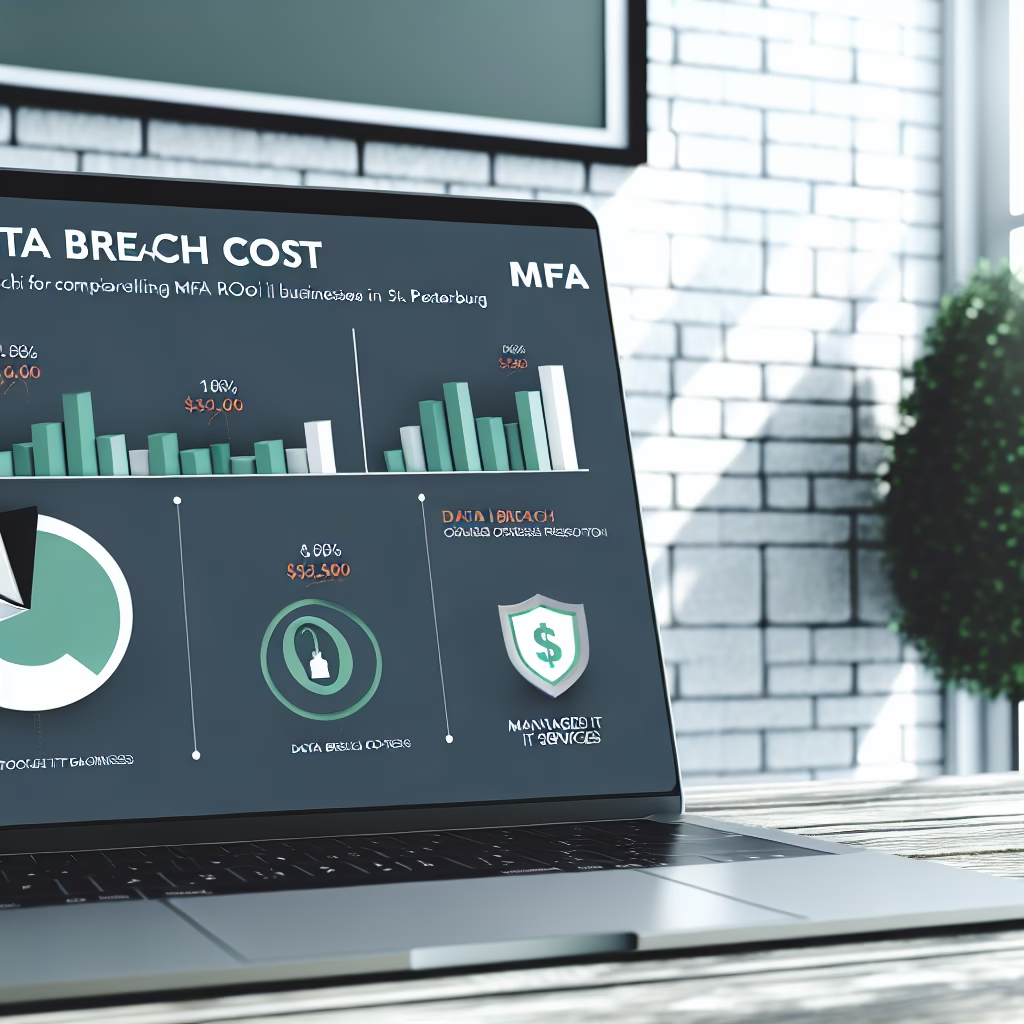
The economics are stark. The average cost of a data breach for a small business in Florida exceeds $200,000 when you factor in notification costs, legal fees, regulatory fines, and operational downtime. Meanwhile, implementing MFA across a 50-person organization typically costs a fraction of that—often less than $10,000 annually. We’ve seen businesses across Tampa Bay delay MFA adoption only to face breach recovery costs that dwarf what proactive implementation would have required.

The Growing Cybersecurity Threat Landscape Facing Tampa Bay SMBs
Tampa Bay small and mid-sized businesses face an increasingly hostile cybersecurity environment driven by automated attacks, sophisticated phishing campaigns, and readily available stolen credentials on the dark web. The threat isn’t theoretical—it’s actively targeting companies in Pinellas County, Hillsborough County, and surrounding areas every day.
Common attack vectors include credential stuffing (where attackers use previously breached username/password combinations to access new accounts), password spraying (testing commonly used passwords across many accounts), and targeted phishing emails designed to harvest login credentials. Industries with a strong presence in Tampa Bay—healthcare, financial services, legal, and professional services—are particularly attractive targets due to the sensitive data they handle.
How Hackers Exploit Weak Password Security
Password reuse remains one of the most exploited vulnerabilities in cybersecurity. Studies show that over 60% of employees reuse passwords across work and personal accounts. When a third-party service suffers a data breach, those reused credentials become skeleton keys that unlock your business systems.
Phishing attacks compound this problem. A well-crafted phishing email can trick even security-aware employees into entering credentials on a convincing fake login page. According to Verizon’s Data Breach Investigations Report, stolen credentials are involved in nearly half of all data breaches. MFA stops these attacks cold—even when an employee’s password is compromised, the attacker hits a wall at the second authentication factor.
We’ve worked with Tampa Bay businesses that discovered their credentials for sale on dark web marketplaces. Without MFA in place, those exposed passwords would have provided direct access to email, cloud storage, financial systems, and customer databases.
Compliance and Regulatory Pressure in Florida
Florida’s regulatory environment adds urgency to MFA adoption. The Florida Information Protection Act (FIPA) requires businesses to implement “reasonable measures” to protect personal information. While FIPA doesn’t explicitly mandate MFA, regulators and courts increasingly interpret “reasonable measures” to include multi-factor authentication—especially when it’s widely available and affordable.
Industry-specific regulations raise the bar further. Healthcare organizations in St. Petersburg must comply with HIPAA, which effectively requires MFA for electronic protected health information access. Financial services firms face requirements from regulators including the SEC and FINRA. Legal practices handling privileged information face growing pressure from cyber insurance carriers and bar association guidelines.
Tampa Bay businesses pursuing government contracts face the strictest requirements. The federal government’s zero-trust architecture mandates, as outlined in NIST Special Publication 800-207, require MFA as a foundational element. If your company does any business with government agencies, MFA isn’t optional—it’s a prerequisite.
Is Your St. Petersburg Business at Risk Without MFA?
Every St. Petersburg business operating without MFA is at elevated risk of credential-based attacks, and the consequences extend far beyond the initial breach. Without multi-factor authentication, a single compromised password can give an attacker unrestricted access to your email, financial accounts, customer data, and cloud infrastructure.
The question isn’t whether your business will be targeted—it’s whether your defenses will hold when the attack comes. Businesses across Pinellas County and the Tampa Bay region face the same threat actors that target enterprises nationwide, but often with fewer resources to respond and recover.
Assessing Your Current Security Posture
Before implementing MFA, you need to understand where your security gaps exist. We recommend using Virtual IT Group’s 5-Point Authentication Assessment framework to evaluate your current posture:
- Inventory all access points: Identify every system, application, and cloud service that employees log into. Include VPNs, email platforms, CRM tools, and financial software.
- Evaluate current authentication methods: Determine which systems rely solely on passwords and which already have some form of MFA enabled.
- Assess password policies: Review password complexity requirements, rotation schedules, and whether you enforce unique passwords per system.
- Check for exposed credentials: Use breach monitoring tools to determine if any employee credentials have appeared in known data breaches.
- Review access privileges: Identify which accounts have administrative or elevated access—these should be your highest priority for MFA implementation.
Red flags that indicate immediate vulnerability include: employees using the same password across multiple systems, no password manager in use, remote access without MFA, administrative accounts protected by passwords alone, and no monitoring for suspicious login activity.
The Real Cost of a Data Breach in Tampa Bay
Businesses in St. Petersburg typically spend between $195,000 and $350,000 recovering from a data breach when accounting for all direct and indirect costs. This figure includes breach notification expenses required under FIPA, forensic investigation fees, legal counsel, regulatory fines, credit monitoring services for affected customers, and system remediation.
Operational disruption often represents the largest hidden cost. Tampa Bay businesses that experience a ransomware attack lose an average of 7-21 days of productivity. For a 30-person company, that translates to hundreds of thousands of dollars in lost revenue and wages paid during downtime.
Reputational damage hits especially hard in a relationship-driven market like Tampa Bay. When local clients in Clearwater, Land O’ Lakes, or Lakeland learn that your business suffered a preventable breach, rebuilding trust takes years. Compare these costs to MFA implementation—typically $3,000 to $9,000 annually for a small business—and the return on investment becomes obvious.
How to Implement MFA in Your Tampa Bay Business: A 2026 Roadmap
Implementing multi-factor authentication for your Tampa Bay business follows a structured process that minimizes disruption while maximizing security. The entire rollout typically takes 2-6 weeks depending on your organization’s size and complexity. Here’s the step-by-step roadmap our team follows when deploying MFA for clients across the region.
Before You Begin
Before starting your MFA implementation, make sure you have the following prerequisites in place:
- A complete inventory of all business applications and systems requiring user authentication
- An up-to-date employee directory with current phone numbers and email addresses
- Administrative access to your identity provider (Microsoft 365, Google Workspace, or equivalent)
- A designated project lead or IT point of contact
- Executive sponsorship to communicate the change across the organization
- Budget approval for MFA licensing (estimate $5-15 per user per month for cloud-based solutions)
Choosing the Right MFA Solution for Your Business Size
Selecting the right MFA platform is critical for long-term success. The three leading solutions for Tampa Bay SMBs are:
| Solution | Best For | Approximate Cost/User/Month | Key Advantage |
|---|---|---|---|
| Microsoft Entra ID (Azure AD) | Microsoft 365 environments | $6-12 | Native integration with M365 |
| Cisco Duo | Mixed environments | $3-9 | Broad third-party integrations |
| Okta | Large or complex environments | $6-15 | Advanced identity governance |
For most St. Petersburg and Tampa Bay businesses already using Microsoft 365, Microsoft security solutions and enhancements through Entra ID offer the most seamless path. As a Microsoft Partner, Virtual IT Group can leverage native MFA capabilities that are already included in many Microsoft 365 Business Premium licenses—meaning you may already be paying for MFA without using it.
Businesses in Clearwater, Land O’ Lakes, and Lakeland with mixed technology environments often benefit from Cisco Duo’s platform-agnostic approach, which works across Windows, Mac, Linux, and mobile devices without requiring a specific ecosystem.
Here’s the step-by-step implementation process:
- Conduct your authentication audit (Week 1, estimated 2-4 hours). Catalog every application, system, and cloud service in your environment. Prioritize them by sensitivity level: critical (email, financial systems, admin consoles), high (CRM, file storage), and standard (internal tools).
- Use your application inventory from the prerequisites phase
- Interview department heads to identify shadow IT or apps not tracked by IT
- Document which systems support MFA natively and which require third-party integration
- Select and configure your MFA platform (Week 1-2, estimated 4-8 hours). Based on your environment assessment, choose the MFA solution that best fits your infrastructure. Configure it according to your organization’s security policies.
- Enable MFA at the identity provider level (Microsoft Entra ID, for example)
- Configure conditional access policies that require MFA for sensitive actions
- Set up backup authentication methods (recovery codes, secondary devices)
- Test the configuration with IT staff before any broader rollout
- Launch a pilot group (Week 2-3, estimated 1-2 hours of active management per day). Enroll a small group of 5-10 technically comfortable employees. This pilot validates your configuration and identifies potential friction points before company-wide deployment.
- Select volunteers from different departments to test varied use cases
- Collect daily feedback during the first week
- Document common questions and issues to build your internal FAQ
- Refine your configuration based on pilot feedback
- Train all employees (Week 3-4, estimated 30-60 minutes per session). Conduct training sessions that explain why MFA matters, how to use it, and what to do if they encounter issues.
- Hold live demonstrations showing the enrollment process
- Provide printed quick-start guides for reference
- Set up a dedicated support channel (email alias or Teams channel) for MFA questions
- Address resistance directly—acknowledge the minor inconvenience while emphasizing the protection it provides
- Roll out to all employees in phases (Week 4-6, estimated 2-3 hours of support per day). Enroll remaining employees department by department rather than all at once. This staggered approach prevents help desk overload.
- Start with departments handling the most sensitive data (finance, HR, executive team)
- Allow 2-3 business days between department rollouts
- Monitor enrollment completion rates and follow up with stragglers
- Keep the support channel active and responsive
- Enforce MFA and disable password-only access (Week 6+, estimated 1-2 hours). Once all employees are enrolled and comfortable, configure your systems to require MFA for all logins. Disable the ability to authenticate with a password alone.
- Set a firm enforcement date communicated at least one week in advance
- Ensure backup authentication methods are configured for every user
- Monitor login failures and provide immediate support for locked-out users
Rolling Out MFA: Best Practices for Employee Adoption
Employee adoption is where MFA implementations succeed or fail. The technology is straightforward—the human element requires more attention. Start your communication campaign before the first enrollment, explaining the “why” behind MFA in terms employees understand: protecting their own accounts, preventing business disruption, and keeping client data safe. Learn more about Microsoft 365 security best practices for Brandon SMBs.
We recommend a phased approach rather than a hard cutover. Pilot groups build internal champions who can support their peers. During the transition, provide multiple support channels including a dedicated help desk queue, walk-up support hours, and written guides. Resistance typically comes from employees who fear the technology or resent the inconvenience. Address both concerns directly with hands-on demonstrations and transparent acknowledgment that MFA adds a few seconds to each login.
Document everything. Create enrollment guides with screenshots specific to your MFA platform. Build an internal FAQ addressing the questions your pilot group raised. Provide printed backup codes and clear instructions for what to do if an employee loses their phone or hardware key.

What to Expect After Implementation
After full MFA deployment, you should see immediate security improvements. Unauthorized access attempts that previously would have succeeded with stolen credentials will be blocked at the second factor. Your security logs will show MFA challenges being issued and—for legitimate users—quickly satisfied.
Expect a brief adjustment period of 1-2 weeks where help desk tickets related to MFA spike. This is normal. Common issues include forgotten phones, expired authenticator tokens, and employees needing to re-enroll after device changes. After this initial period, MFA becomes second nature and support requests drop to minimal levels.
You should also confirm that your cybersecurity assessment for your business reflects the improved posture. Cyber insurance carriers increasingly offer premium discounts for organizations with MFA in place—ask your carrier about available savings.
Why St. Petersburg and Tampa Bay Businesses Can’t Afford to Wait
St. Petersburg businesses that delay MFA adoption are falling behind competitors who have already made it standard practice. The Tampa Bay economic landscape is increasingly driven by sectors—financial services, healthcare, technology, and professional services—where client trust and data security are competitive differentiators.
Florida’s business environment rewards proactive security measures. Companies pursuing government contracts, healthcare partnerships, or financial services relationships face mandatory MFA requirements. Cyber insurance carriers are tightening their underwriting criteria, and businesses without MFA are seeing premium increases of 20-30% or outright coverage denials.
The competitive dynamics are real. When a prospect is choosing between two Tampa Bay firms and one can demonstrate robust cybersecurity practices including MFA while the other cannot, that security posture increasingly tips the decision.
Tampa Bay’s Growing Target Profile for Cyber Criminals
Tampa Bay’s rapid economic growth makes it an increasingly attractive target for cybercriminals. The region’s thriving financial services sector, growing healthcare industry, and Port Tampa Bay operations create a dense concentration of high-value data. The tourism and hospitality sector processes enormous volumes of payment card data, making hotels, restaurants, and entertainment venues frequent phishing targets.
St. Petersburg businesses are becoming particularly attractive targets as the city’s technology and professional services sectors expand. Cybercriminals follow the money, and Tampa Bay’s economic growth trajectory signals opportunity for attackers just as it does for legitimate businesses. Companies that invest in Managed IT Services for Tampa Bay with built-in security layers like MFA are positioning themselves to grow confidently rather than reactively.
FAQ: Common Questions About MFA for Tampa Bay Businesses
What does implementing MFA typically cost for a St. Petersburg small business?
Businesses in St. Petersburg typically spend between $5 and $15 per user per month for cloud-based MFA solutions, depending on the platform and feature set. For a 25-person company, that translates to roughly $1,500 to $4,500 annually. When compared to the average breach cost exceeding $200,000 in Florida—including FIPA-mandated notification expenses, legal fees, and operational downtime—MFA represents one of the highest-ROI security investments available. Virtual IT Group can assess your specific environment and recommend the most cost-effective solution for your needs.
Will MFA slow down our employees’ productivity in Tampa Bay offices?
Modern MFA solutions add minimal friction to daily workflows—typically 3-5 seconds per login event. Push notification methods like Microsoft Authenticator require only a single tap on a smartphone, while biometric options like fingerprint or facial recognition happen almost instantly. After the initial setup and a 1-2 week adjustment period, most Tampa Bay businesses report that employees don’t even think about the extra step. The security gains are immediate and substantial, blocking the vast majority of credential-based attacks from day one.
Is MFA required by law for businesses in Tampa Bay and St. Petersburg?
While no single Florida law universally mandates MFA for all businesses, the practical and regulatory landscape strongly favors implementation. The Florida Information Protection Act (FIPA) requires “reasonable measures” to protect personal information, and MFA is increasingly interpreted as meeting that standard. Healthcare organizations must comply with HIPAA security requirements that effectively require MFA for ePHI access. Financial services firms face SEC and FINRA expectations. Federal government contractors must meet NIST 800-171 and CMMC requirements that mandate MFA. Virtual IT Group stays current with evolving Tampa Bay and Pinellas County compliance requirements to keep our clients ahead of regulatory changes.
What’s the difference between MFA and two-factor authentication (2FA)?
Two-factor authentication (2FA) is a subset of MFA that uses exactly two authentication factors. MFA is the broader term encompassing two or more factors from different categories: something you know, something you have, and something you are. In practice, most business implementations use two factors, making 2FA and MFA functionally similar for most Tampa Bay organizations. The important distinction is that both represent a massive security improvement over passwords alone—according to Microsoft’s security research, MFA prevents 99.9% of automated account compromise attacks.
Can we implement MFA without replacing our current IT systems?
Yes, modern MFA solutions are designed to integrate with existing infrastructure rather than replace it. If your St. Petersburg business runs Microsoft 365, MFA capabilities are built directly into the platform and can be activated without additional hardware or software. For mixed environments, solutions like Cisco Duo overlay on top of your existing systems, providing MFA for VPNs, cloud apps, and on-premises servers without disrupting current workflows. Virtual IT Group’s Microsoft Partner certification and experience across Tampa Bay environments means we can deploy MFA in Clearwater, Land O’ Lakes, or Lakeland offices alongside your existing technology stack with minimal disruption.
Protect Your St. Petersburg Business With MFA in 2026
Multi-factor authentication is no longer a nice-to-have—it’s a baseline security requirement for any St. Petersburg or Tampa Bay business that handles sensitive data, serves regulated industries, or simply wants to protect its operations from increasingly sophisticated cyber threats. The implementation process is straightforward, the costs are modest compared to breach recovery, and the protection is immediate.
Virtual IT Group has served Tampa Bay businesses for over 40 years, and as a CompTIA and Microsoft Partner, we bring certified expertise to every MFA deployment. Whether you need a full security assessment or are ready to start implementing MFA tomorrow, our team is here to help.
Ready to protect your business? Schedule a free MFA security assessment with Virtual IT Group today. We’ll evaluate your current security posture, identify your highest-risk access points, and create a custom implementation roadmap tailored to your St. Petersburg business.