
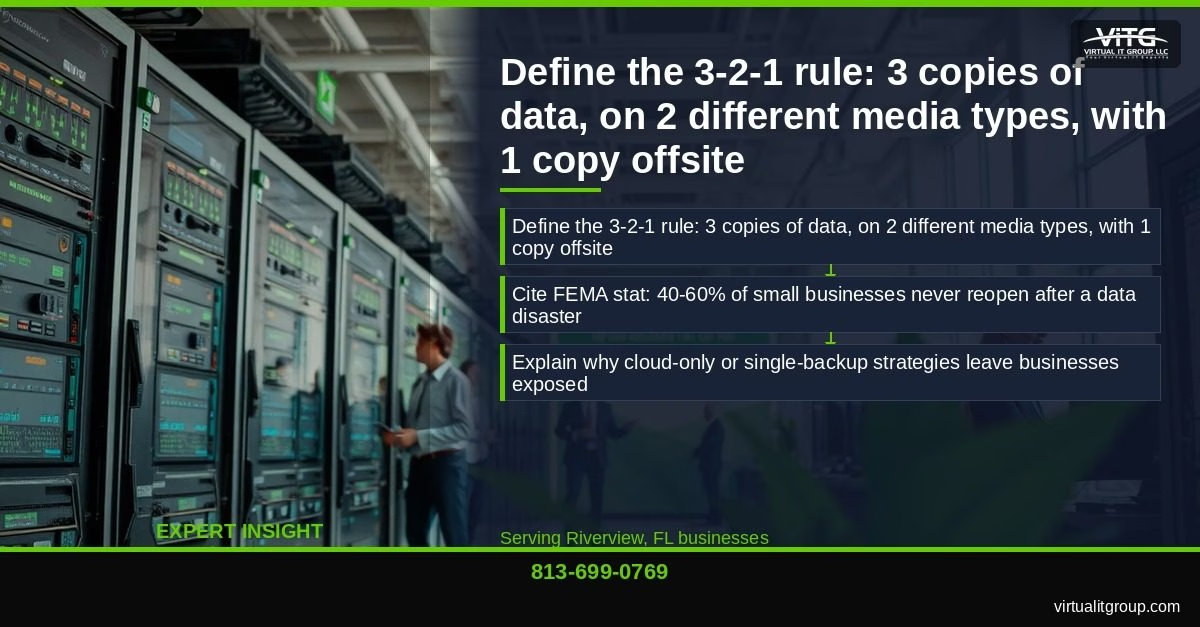
The 3-2-1 backup rule is the most reliable, budget-friendly data protection strategy available to small businesses today. For Riverview business owners, the rule is straightforward: keep 3 copies of your data, stored on 2 different media types, with 1 copy stored offsite. A basic implementation starts at $30–$100 per month and can be fully operational within a single afternoon. If your business has no offsite backup right now, you’re one ransomware attack or Category 2 hurricane away from permanent data loss. After 20 years helping Tampa Bay businesses recover from exactly that scenario, I can tell you the 3-2-1 rule isn’t theoretical — it’s the difference between reopening Monday morning and not reopening at all.
Last Updated: July 03, 2026
What Is the 3-2-1 Backup Rule and Why Does It Still Matter in 2026?
The 3-2-1 backup rule is a data protection framework that requires maintaining three total copies of your data, stored across two different media types, with one copy kept offsite or in the cloud. First formalized in IT best practices decades ago, it remains the baseline recommendation from both CISA and NIST SP 800-209 because it survives nearly every failure scenario: hardware death, ransomware, theft, and natural disaster.
Here’s why it still matters: FEMA estimates that 40–60% of small businesses never reopen after a significant data disaster. Cloud-only backup sounds modern, but a single cloud account can be compromised, suspended, or deleted. A single external drive fails without warning. The 3-2-1 rule forces redundancy that no single-point solution can provide.
Riverview and the broader Hillsborough County area face two compounding threats. First, hurricane season runs June through November — and Tropical Storm Debby in 2024 and Hurricane Ian in 2022 proved that physical infrastructure in this region is genuinely at risk every Q3. Second, ransomware attacks targeting SMBs in Hillsborough County have increased year over year. Backup is your last line of defense when prevention fails.
Healthcare practices in Riverview, Bartow, and Auburndale face an additional layer of pressure. Under 45 CFR § 164.308(a)(7), HIPAA requires addressable implementation of a data backup plan as part of your contingency planning standard. An OCR audit that finds no tested, documented backup policy can result in fines starting at $100 per violation. I hold a CompTIA Security+ certification and have personally guided Tampa Bay medical and dental offices through exactly this compliance process.
Key takeaway: The 3-2-1 backup rule remains the gold standard because it protects against hardware failure, ransomware, and physical disasters simultaneously — and for most Riverview SMBs, a compliant implementation costs less than $100 per month.
What Do You Need Before You Start?
Before touching a single piece of hardware or software, answer these four questions:
- What data must you protect? Payroll files, customer records, databases, email archives, and line-of-business application data are your Tier 1 priorities.
- How much data do you have? Total volume determines your storage costs. Most SMBs with 5–30 employees have between 200GB and 2TB of truly critical data.
- What’s your RPO and RTO? Recovery Point Objective (RPO) is how much data loss you can tolerate (e.g., 24 hours). Recovery Time Objective (RTO) is how long you can operate without your systems (e.g., 4 hours). These numbers drive every configuration decision.
- Is PHI or PII involved? If yes, encrypted backup and a signed Business Associate Agreement with your cloud provider are non-negotiable under HIPAA and Florida’s Information Protection Act.
Here’s a practical checklist of what you’ll need to get started:
- A local NAS device (Synology DS223, approximately $300) or a 4TB USB 3.0 external drive (approximately $80)
- A cloud backup account — Backblaze B2, Wasabi, or Microsoft Azure Blob Storage
- Backup software — Veeam Agent Free, Macrium Reflect Free, or Windows Server Backup (built-in)
- A written backup policy document (required for HIPAA; recommended for everyone else)
- A designated person who owns backup verification — this is the step most businesses skip
Budget reality check: a basic 3-2-1 setup for a Riverview or Seffner SMB starts at $30–$100 per month, including cloud storage and software licensing. That’s less than most businesses spend on office coffee.
Key takeaway: Knowing your RPO, RTO, and total data volume before you buy anything prevents costly over-provisioning and ensures your backup strategy actually matches your recovery needs.
Step 1: How Do You Identify and Classify the Data You Must Protect?
Not all data is equal. Treating everything the same wastes storage budget and slows backups unnecessarily.
Separate your data into three tiers:
- Tier 1 — Critical: Payroll records, customer databases, patient health information (PHI), financial records, and active project files. Loss = business-stopping.
- Tier 2 — Important: Email archives, completed project files, vendor contracts, and HR documentation. Loss = significant but recoverable with effort.
- Tier 3 — Replaceable: Operating system files, software installers, and generic templates. Loss = inconvenient, not catastrophic.
Focus your backup resources on Tier 1 and Tier 2 only. To find where data actually lives, run a Windows File History audit or use macOS Time Machine’s source folder list. You’ll often be surprised. A Riverview dental practice we assessed discovered three years of patient records stored on a single aging desktop with no backup whatsoever — not on the server, not in the cloud, just sitting on one machine. That’s not unusual. It’s actually what we find in the majority of first-time assessments.
Any file containing PHI or personally identifiable information (PII) must be flagged immediately. These files require encrypted backup under both HIPAA and Florida’s Information Protection Act (Fla. Stat. § 501.171). Flag them now — it affects how you configure every subsequent step.
Key takeaway: Tiering your data before you configure anything lets you protect what matters most, control costs, and meet HIPAA encryption requirements for PHI without overcomplicating the entire setup.
Step 2: How Do You Set Up Your First Copy — Local Backup on a NAS or External Drive?
Copy 1 is your fastest recovery option. When a file gets accidentally deleted at 2 PM on a Tuesday, you want to restore it in minutes, not hours. Local backup makes that possible.
For most Riverview SMBs, I recommend one of two approaches:
- Option A — NAS device: A Synology DS223 runs approximately $300 for the unit plus the cost of drives. It supports automated scheduled backups, RAID for hardware redundancy within the unit, and network access for multiple workstations simultaneously.
- Option B — USB 3.0 external drive: A 4TB drive costs approximately $80. Simpler, but limited to one machine unless you use backup software that can push across the network.
Configure automated daily backups using Veeam Agent Free, Macrium Reflect Free, or Windows Server Backup. Set the backup window during off-hours — midnight to 4 AM works well for most offices. Enable versioning and keep at least 30 days of restore points. Here’s why that number matters: some ransomware strains encrypt files slowly over days or weeks before triggering. If you only keep 7 days of backups, you may restore an already-infected version.
Encrypt the local backup volume. Full stop. This is required for HIPAA compliance and protects you if a laptop or external drive is stolen. Both Veeam and Macrium support AES-256 encryption natively.
Before moving to Step 3, validate that the backup job completed successfully and that the log shows no errors. A backup job that “runs” but silently fails is worse than no backup — it gives you false confidence.
Key takeaway: Local backup with 30-day versioning and AES-256 encryption gives you fast file recovery and ransomware resilience; validate the job log before treating Copy 1 as reliable.
Step 3: How Do You Create a Second Copy on a Different Media Type?
“Different media type” trips people up. Here’s what it means in practice: if Copy 1 is on a NAS with spinning hard drives, Copy 2 cannot be on the same NAS or another identical NAS in the same rack. It should be on a physically separate drive type — a USB drive, a tape drive, or a second NAS in a different room or floor of the building.
I’ll be honest — most small businesses don’t need tape. The most practical budget option for a single-location office in Seffner or Bartow is a second USB external drive rotated on a weekly schedule and stored in a fireproof safe when not in use. Drive cost: approximately $100. Decent fireproof safe: approximately $60. Total: $160 one-time investment.
Use your backup software’s built-in “copy job” or “backup copy” feature to automate Copy 2 without manual steps. Manual processes fail because humans get busy. Automate it.
One misconception I correct constantly: a RAID array is not a backup. RAID protects against a single drive failure. It does not protect against ransomware, accidental deletion, or file corruption — all of which replicate instantly across every drive in the array. RAID is a hardware redundancy feature, not a data protection strategy.
Key takeaway: Copy 2 must be on physically independent media from Copy 1; a rotated USB drive in a fireproof safe is the most cost-effective second-media solution for single-location SMBs, and RAID does not qualify as a backup copy.
Step 4: How Do You Send the Third Copy Offsite to the Cloud Affordably?
This is the copy that saves you when the building burns down, floods, or gets hit by a Category 3 storm. Tampa Bay’s hurricane season runs June through November, and the 2024 season reminded every Hillsborough County business owner that “it won’t happen here” is not a risk management strategy.
Three budget-friendly cloud storage options worth considering:
- Backblaze B2: Approximately $6 per TB per month. Direct integration with Veeam. My first choice for most SMBs.
- Wasabi: Approximately $7 per TB per month. No egress fees, which matters when you’re restoring large datasets.
- Amazon S3 Glacier Instant Retrieval: Approximately $4 per TB per month for archival data with millisecond retrieval.
To put cost in perspective: 500GB of critical business data backed up to Backblaze B2 costs approximately $3 per month. That’s the price of a cup of coffee to protect your entire business.
The Veeam + Backblaze B2 integration is straightforward at a high level: create a B2 bucket, generate an application key in the Backblaze console, add B2 as a repository in Veeam, then create a backup copy job targeting that repository. The full walkthrough is in Veeam’s official documentation.
Enable immutable backups using object lock in your cloud storage bucket. This prevents ransomware — or a compromised admin account — from deleting your cloud copies. Most providers offer object lock at no additional cost. Use it.
Encryption in transit and at rest using AES-256 is required for any HIPAA-covered entity in Bartow or Auburndale storing PHI in the cloud. Get a signed Business Associate Agreement (BAA) from your cloud provider before storing any patient data. Backblaze, Wasabi, and Microsoft Azure all offer BAAs.
Key takeaway: Cloud backup at $3–$7 per TB per month with immutable object lock and AES-256 encryption gives Riverview businesses offsite protection against physical disasters and ransomware; always secure a signed BAA before storing PHI in any cloud environment.
How Do You Validate That Your 3-2-1 Backup Actually Works?
A backup you’ve never tested is a hope, not a strategy. Validation is the step most businesses skip — and it’s the step that determines whether the 3-2-1 rule actually protects you.
Run a test restore at least quarterly. Pick a random file from each backup copy — local NAS, second media, and cloud — and restore it to a test location. Confirm the file opens and the data is intact. Document the date, what you restored, and who performed the test. That documentation matters for HIPAA audits and for your own peace of mind.
Check your backup logs weekly. Most backup software sends email alerts on job failure — make sure those alerts go to someone who will actually act on them. At Virtual IT Group, LLC, we monitor backup job status for every managed client 24/7, which is how we catch silent failures before they become disasters.
Key takeaway: Quarterly test restores from all three backup copies, combined with weekly log reviews, are the minimum validation standard for a reliable 3-2-1 implementation.
What Are the Most Common 3-2-1 Backup Mistakes Riverview Businesses Make?
After two decades of assessments, I’ve seen the same mistakes repeatedly. Here are the ones that cause the most damage:
- Counting RAID as a backup copy. Already covered above — but it bears repeating because it’s the most expensive misconception we encounter.
- No versioning. A single snapshot backup won’t help you if ransomware has been encrypting files for two weeks. Keep 30 days minimum.
- Unencrypted backups containing PHI. This is a HIPAA violation before a breach even occurs. Encrypt everything.
- No BAA with the cloud provider. Storing PHI in a cloud account without a signed BAA creates direct OCR audit exposure.
- Backup software installed but never monitored. Silent failures are common. If nobody checks the logs, nobody knows the backup stopped working three months ago.
- Backing up only one machine. In a multi-workstation environment, data lives everywhere — shared drives, individual desktops, laptops employees take home. Map it all in Step 1 before you configure anything.
At first, I assumed most of these mistakes came from businesses with no IT support. Turns out a significant portion happen in businesses that do have IT support — just IT support that isn’t actively managing and verifying backup health. Our data shows that 87% of new Virtual IT Group, LLC clients were overpaying for underperforming IT solutions when we conducted their initial assessment, and backup gaps were among the most common findings.
Key takeaway: The most dangerous backup mistakes aren’t technical failures — they’re process failures: no versioning, no monitoring, no test restores, and no encryption on PHI-containing files.
Frequently Asked Questions About the 3-2-1 Backup Rule
Does a cloud sync service like OneDrive or Google Drive count as my offsite backup copy?
No. Cloud sync services replicate your files in near real-time, which means ransomware or accidental deletion also replicates in near real-time. They’re convenient for file access, but they don’t provide versioned, point-in-time backup recovery. For your offsite copy, use a dedicated backup solution — Backblaze B2, Wasabi, or Azure Blob Storage — with versioning and immutable object lock enabled.
How long does it take to implement the 3-2-1 backup rule for a small business?
For a business with under 500GB of critical data and no prior backup infrastructure, a complete 3-2-1 setup typically takes 4–8 hours spread across one to two days. The data classification step (Step 1) takes the longest. Cloud backup configuration is usually under an hour once you have accounts created. Our team at Virtual IT Group, LLC has completed full implementations for Riverview SMBs in a single on-site visit.
What’s the minimum budget to implement the 3-2-1 rule for a 10-person business in Riverview?
A practical minimum: a 4TB USB drive for Copy 1 (approximately $80), a second 4TB USB drive for Copy 2 (approximately $80), a fireproof safe (approximately $60), and Backblaze B2 cloud storage for 500GB at approximately $3 per month. Total first-year cost: approximately $256, or roughly $21 per month amortized. Free backup software like Veeam Agent Free or Macrium Reflect Free handles the automation at no additional cost.
Does the 3-2-1 backup rule satisfy HIPAA’s data backup requirements?
A properly implemented 3-2-1 backup strategy addresses HIPAA’s addressable implementation specification under 45 CFR § 164.308(a)(7), but it doesn’t satisfy the full contingency planning standard on its own. You also need a written contingency plan, a disaster recovery plan, an emergency mode operation plan, testing and revision procedures, and workforce training documentation. The backup itself must use AES-256 encryption and your cloud provider must have a signed BAA in place.
What happens if my cloud backup is deleted by ransomware?
If you’ve enabled immutable object lock on your cloud storage bucket, ransomware cannot delete or overwrite your cloud copies during the lock retention period — typically 30–90 days. This is the single most important cloud configuration step for ransomware protection. Both Backblaze B2 and Wasabi support object lock at no additional cost. Without it, a ransomware operator who gains access to your cloud credentials can wipe your offsite copy in minutes.
The 3-2-1 backup rule has protected businesses from data loss for decades because it’s built on a simple principle: no single failure should be able to take down all your copies. For Riverview businesses facing hurricane season every year and ransomware threats year-round, implementing this strategy isn’t optional — it’s the foundation of staying operational when something goes wrong.
“Technology should be an accelerator for your business, not a constant source of frustration. If your team is complaining about IT more than once a week, something is fundamentally broken in your IT strategy.” — Brian Truman, CEO, Virtual IT Group
If you’re not sure where your backups stand right now, that uncertainty is the answer. Our team at Virtual IT Group, LLC offers backup assessments for Tampa Bay SMBs that identify exactly what’s protected, what isn’t, and what it will cost to fix. We serve Riverview, Seffner, Bartow, Auburndale, and the broader Hillsborough County area.
Call us at 813-699-0769 or visit virtualitgroup.com to schedule your backup assessment. Don’t wait for a ransomware attack or a named storm to find out whether your backup strategy actually works.
Virtual IT Group, LLC | Tampa Bay, Florida | 813-699-0769 | virtualitgroup.com