
A professional business phone system in Clearwater costs far less than most owners expect. Here’s the direct answer: a 1–2 person Clearwater small business can set up a fully featured VoIP phone system — with auto-attendant, voicemail-to-email, mobile app, and local 727 area code — for between $10 and $30 per month per user, keeping total monthly costs well under $50. The process takes less than two hours from account signup to first live call. You need a reliable broadband connection, a router that supports Quality of Service (QoS) traffic prioritization, and an account with a cloud VoIP provider such as Google Voice for Business, Zoom Phone, or RingCentral. No on-premise hardware is required. Our team at Virtual IT Group, LLC has guided Tampa Bay businesses through this exact transition for 20 years, and the five steps below reflect what actually works — not textbook theory.
For a detailed breakdown of which platforms deliver the best value, check out our guide to comparing VoIP providers by price and features — the analysis applies equally to Clearwater and surrounding areas.
Last Updated: July 09, 2026
Why Do Clearwater Small Businesses Need a Professional Phone System in 2025?
Your personal cell number is costing you clients. I’ve watched it happen dozens of times: a Clearwater contractor or medical practice hands out a personal mobile number, a prospect calls and gets a voicemail with a first name and no company greeting, and the prospect moves on. First impressions are formed in seconds, and a business phone system with a professional auto-attendant closes that credibility gap immediately.
VoIP adoption among small and midsize businesses has grown more than 35% since 2020, driven by two factors: cost and flexibility. Cloud-based VoIP eliminates the $2,000–$5,000 upfront hardware cost of traditional PBX systems and replaces it with a predictable monthly subscription. For a 1–2 person shop, that’s typically $15–$30 total per month.
The shift away from traditional phone lines is happening across Central Florida—learn how other Florida businesses are transitioning away from legacy phone systems and what’s driving the move to cloud-based solutions.
For businesses with multiple locations or higher call volumes, there’s an even more cost-effective approach—learn how SIP trunking can further reduce your phone infrastructure costs by eliminating traditional carrier fees entirely.
If you’re just starting out or scaling quickly, understanding how VoIP benefits growing businesses can help you make the right infrastructure choice from day one.
One area I want to flag specifically for Clearwater and the broader Pinellas County healthcare sector: if your practice is covered under HIPAA — medical offices, dental practices, mental health providers, home health agencies — your phone system is a communication channel that falls under HIPAA safeguards. Any VoIP vendor you choose must sign a Business Associate Agreement (BAA) before you transmit or receive any protected health information over that platform. Mid-year is an ideal time to audit this. Providers in Dover, Gibsonton, and Dade City are equally subject to these requirements. I’ll call out BAA availability for each provider in Step 2.
For a more comprehensive evaluation of which vendor aligns best with your specific business needs and compliance requirements, our detailed comparison of VoIP providers walks through the key decision factors.
As I tell clients directly: “Technology should be an accelerator for your business, not a constant source of frustration. If your team is complaining about IT more than once a week, something is fundamentally broken in your IT strategy.” — Brian Truman, CEO, Virtual IT Group
Key takeaway: Cloud VoIP gives Clearwater small businesses a professional phone presence for under $50/month, with no upfront hardware investment — and HIPAA-covered entities must confirm BAA availability before choosing a provider.
What Do You Need Before You Set Up a Business Phone System?
Before you create a single account, run through this checklist. Missing any one of these items is the most common reason a VoIP deployment stalls on day one.
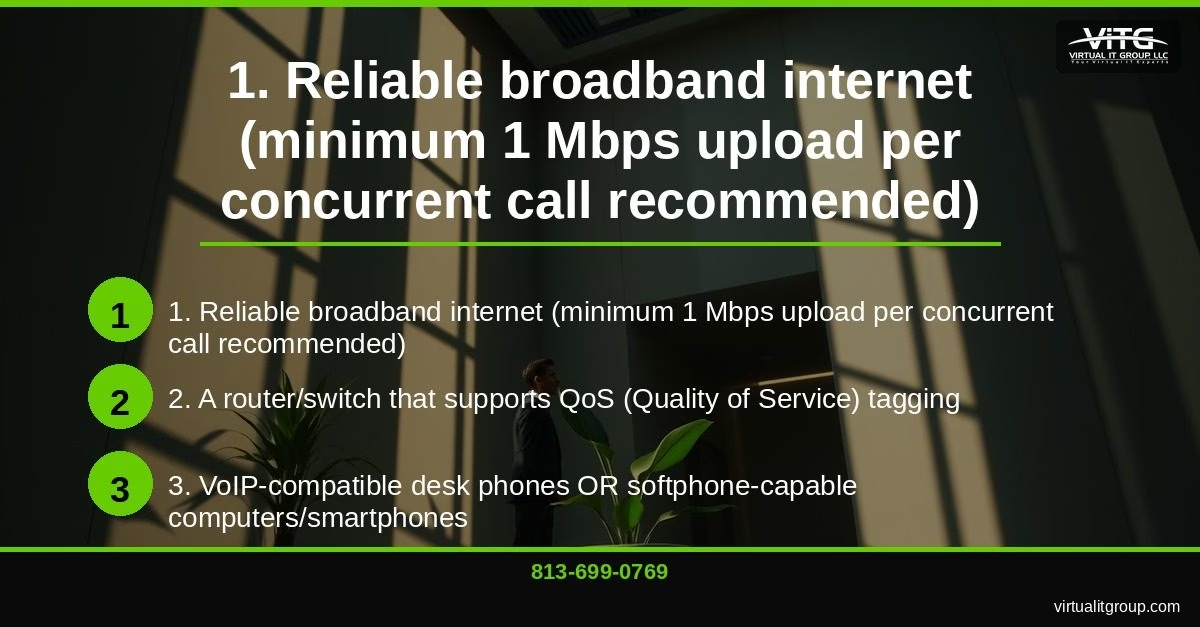
- Reliable broadband internet — minimum 1 Mbps upload speed per concurrent call. Run a speed test at Speedtest.net right now and write down your upload number.
- A router or switch that supports QoS (Quality of Service) tagging — QoS prioritizes voice packets over general web traffic, preventing choppy audio during calls. Most routers purchased after 2019 support this; older hardware often does not.
- VoIP-compatible endpoints — this means a VoIP desk phone (Yealink, Polycom, Cisco), a desktop/laptop running a softphone app, or a smartphone with the provider’s mobile app installed. You don’t need all three — pick one to start.
- A chosen VoIP provider account — Google Voice for Business, Zoom Phone, RingCentral Core, and Nextiva Essential are all viable options under $50/month for a 1–2 person operation. Details in Step 2.
- A business email address — use your company domain email, not a personal Gmail. Providers use this for account provisioning and voicemail-to-email delivery.
- A signed BAA from your VoIP vendor (HIPAA-covered entities only) — this is a non-negotiable compliance requirement, not a formality. Request it before activating the account.
- Number porting authorization — if you’re transferring an existing business number to the new provider, gather your current carrier’s account number and PIN. Porting typically takes 5–10 business days.
Budget reality check: most plans run $15–$30 per user per month. A solo operator stays at $15–$30 total. Two users land between $30 and $50 total. That’s the sub-$50 target, and it’s genuinely achievable.
Side note on infrastructure: Clearwater and most of Pinellas County have strong fiber and cable options through Spectrum Business and Frontier Fiber. If you’re operating out of Dover or Gibsonton in Hillsborough County, fiber availability is less consistent — some areas still rely on cable or fixed wireless, which can introduce latency. Know your connection type before committing to a VoIP platform.
Key takeaway: The seven prerequisites above — especially upload speed verification and BAA confirmation for healthcare businesses — must be confirmed before account setup to avoid deployment failures.
Step 1: How Do You Assess Your Internet Connection and Network Readiness?
Run a speed test at Fast.com or Speedtest.net and document both your download and upload speeds. The upload number is what matters for VoIP. The rule of thumb: 100 Kbps upload per active concurrent call. A 5-person office where three people might be on calls simultaneously needs at least 300 Kbps upload headroom — well within a standard business-class connection, but sometimes a problem on entry-level residential plans.
Check your router’s age. Routers older than five years frequently lack QoS support, and even if they technically support it, the firmware may not be stable enough to maintain voice quality under load. I’ll be honest — when we first started deploying VoIP for Tampa Bay clients about a decade ago, I assumed router age was a minor variable. Turns out it was the single most common hardware culprit behind call quality complaints. We now treat router replacement as a prerequisite, not an afterthought.
Also confirm whether you’re on a shared or dedicated business-class connection. Residential-grade internet is a shared medium — your bandwidth competes with neighbors during peak hours (evenings, weekday mornings). Many Clearwater businesses we’ve assessed are running on residential Spectrum accounts because they’re cheaper. That $20/month savings evaporates when you’re dropping calls with clients.
According to Cisco’s VoIP bandwidth consumption documentation, a G.711 codec call (standard quality) consumes approximately 87.2 Kbps per call including overhead — so the 100 Kbps-per-call planning figure is a safe buffer.
Key takeaway: Confirm your upload speed exceeds 100 Kbps per planned concurrent call and verify your router supports QoS before purchasing any VoIP service — a slow or unstable network is the number one cause of failed VoIP deployments in small business environments.
Step 2: How Do You Choose the Right VoIP Provider for Under $50/Month?
Here’s a direct comparison of the four providers our team at Virtual IT Group, LLC recommends most often for Clearwater small businesses operating on a sub-$50 budget:
| Provider | Price Per User/Month | HIPAA BAA Available | Auto-Attendant | Mobile App |
|---|---|---|---|---|
| Google Voice for Business | $10 | Yes (Google Workspace) | Yes | Yes |
| Zoom Phone | $10–$15 | Yes | Yes | Yes |
| RingCentral Core | $20 | Yes | Yes | Yes |
| Nextiva Essential | $18–$23 | Yes | Yes | Yes |
All four providers offer voicemail-to-email, call forwarding, and hold music. The practical differences come down to ecosystem fit. If your business already runs on Google Workspace, Google Voice for Business integrates cleanly and keeps your total cost lowest. If you’re already using Zoom for video meetings, Zoom Phone adds a business phone line to the same app your team already has open.
For HIPAA-covered entities in Clearwater, Dover, Gibsonton, and Dade City: all four providers on this list offer a BAA, but you must request it explicitly — it won’t be automatically included with a standard signup. The HHS HIPAA guidance on Business Associate Agreements makes clear that any vendor handling PHI on your behalf requires a signed BAA before data transmission begins.
On contract terms: choose month-to-month for any business under 10 employees. Annual contracts save roughly 15–20% but lock you in. At the sub-$50 price point, the flexibility of month-to-month is worth more than the savings.

Key takeaway: For a 1–2 person Clearwater business, Google Voice for Business at $10/user or Zoom Phone at $10–$15/user delivers every essential feature under $50/month total — HIPAA-covered practices must request a BAA explicitly before activating any account.
Step 3: How Do You Register Your Account and Configure Your Business Phone Number?
Sign up using your business domain email address. This matters for two reasons: it keeps your business and personal accounts separate, and it’s required for BAA eligibility with most providers.
When selecting your phone number, choose a local area code. In Clearwater and Pinellas County, that’s 727. For Tampa and Hillsborough County businesses (including Dover and Gibsonton), 813 is the local code. Local numbers build trust with local clients — a study by Salesforce’s State of the Connected Customer found that buyers are significantly more likely to answer calls from local numbers than toll-free or out-of-area numbers.
Set your caller ID to match your business name exactly as it appears on your Florida business registration. Inconsistencies between your caller ID and your business registration create confusion and can flag your number as spam with carrier systems.
Enable two-factor authentication (2FA) on your VoIP account immediately after creation. Your phone system is a communication asset — if someone hijacks your business number, they can intercept client calls and redirect business. This is a non-negotiable first step from a security standpoint, and it takes 90 seconds.
Key takeaway: Use your business domain email, select a local 727 or 813 area code, and enable two-factor authentication before configuring any other settings — these three actions establish the security and credibility foundation for your entire phone system.
Step 4: How Do You Set Up Your Auto-Attendant and Call Routing Rules?
The auto-attendant is the single feature that makes a one-person shop sound like a ten-person office. It answers every call professionally, presents a menu of options, and routes callers without you having to pick up every ring.
Write your greeting script before you record it. A clean format: “[Company name], thank you for calling. For sales, press 1. For support, press 2. To reach our team directly, press 0.” Keep it under 20 seconds. Callers who hear a 45-second greeting before reaching a menu option hang up.
Configure two routing scenarios:
- Business hours: calls ring your desk phone, softphone, and mobile app simultaneously (this is called “simultaneous ring” or “find me/follow me” in most platforms)
- After hours: calls go directly to voicemail with a separate after-hours greeting, or forward to an answering service if your business requires live after-hours coverage
Enable voicemail-to-email transcription. Most providers include this at no extra cost. Voicemails arrive as audio file attachments with a text transcription in your inbox — searchable, archivable, and accessible from any device.
For businesses with offices in multiple locations — say, a Clearwater office and a Dade City satellite location — set up ring groups that distribute incoming calls across both locations. This ensures no single office is a bottleneck and calls reach whoever is available first.

Key takeaway: A properly configured auto-attendant with business-hours and after-hours routing rules is the highest-impact configuration step — it’s what transforms a basic phone line into a professional communications system.
Step 5: How Do You Connect Your Phones, Softphones, and Mobile Apps?
You have three connection options, and they’re not mutually exclusive — most businesses use all three simultaneously.
Option A — Desk phones: A VoIP-compatible handset (Yealink T33G at around $60, or a Polycom VVX 250 at around $90) connects to your network and auto-provisions using your provider credentials. Follow the provider’s auto-provisioning guide — most platforms support zero-touch provisioning where you enter the device’s MAC address in the admin portal and it configures itself on first boot.
Option B — Softphone: Install the provider’s desktop app on a Windows or Mac computer. Zero hardware cost. A USB headset (Jabra Evolve2 30 or Plantronics Voyager Focus at $50–$80) delivers professional call quality. This is the fastest path to a working phone system — you can be live within 15 minutes of account creation.
Option C — Mobile app: Install the provider’s iOS or Android app on your smartphone. Outbound calls display your business number, not your personal cell. Incoming business calls ring the app separately from personal calls. This option alone solves the “personal cell number” credibility problem at zero additional hardware cost.
One technical step that’s easy to skip: configure QoS on your router to prioritize VoIP traffic. For SIP-based VoIP (which all four providers above use), prioritize UDP ports 5060 and 5061. This prevents your VoIP audio from competing with file downloads or video streams on the same network. The Cisco QoS classification documentation provides a technical reference if you’re configuring a managed router.
Our team’s standing advice: always test your setup on a wired Ethernet connection first. If call quality is good on wired and poor on Wi-Fi, the problem is your wireless network — not your VoIP provider. This distinction saves hours of troubleshooting time.
Key takeaway: Start with the softphone app for the fastest deployment, add QoS configuration on your router to protect call quality, and test over wired Ethernet before troubleshooting any Wi-Fi audio issues.
What Does a Real Business Phone System Consolidation Look Like?
87% of the new clients our team assesses at Virtual IT Group, LLC are overpaying for underperforming IT solutions — and the phone system is almost always part of the problem. A 35-person Tampa marketing agency came to us managing seven different IT vendor relationships covering internet, phones, security, cloud, and support. They were paying separately for a legacy phone system, a separate voicemail service, and a third-party call recording tool. We consolidated everything under one managed agreement, reducing their vendor management overhead by 80% and cutting total IT costs by 30%. The phone system alone went from $340/month to $87/month for the same call volume and feature set — just on a modern VoIP platform instead of aging on-premise hardware.
The average Tampa Bay small or midsize business spends 6.2% of revenue on IT. Businesses that invest that budget strategically — in the right platforms, properly configured — see 23% higher operational efficiency than those running mismatched, legacy systems. A $30/month VoIP platform configured correctly outperforms a $300/month legacy phone system configured poorly every time.
Frequently Asked Questions
Can I keep my existing business phone number when switching to VoIP?
Yes. The process is called number porting, and every major VoIP provider supports it. You’ll need your current carrier’s account number, PIN, and a signed Letter of Authorization (LOA). Porting typically takes 5–10 business days. During that window, your old number stays active on your current carrier, so there’s no service gap. Do not cancel your existing service until the port is confirmed complete.
Is VoIP reliable enough for a primary business phone line?
On a business-class internet connection with QoS configured, VoIP call quality is indistinguishable from traditional landline quality. The reliability variable is your internet connection, not the VoIP platform. Major providers like RingCentral and Zoom Phone publish 99.999% uptime SLAs. The practical risk is an internet outage — mitigate this by enabling mobile app failover so calls automatically route to your smartphone if your office internet goes down.
Do I need a separate fax line for my Clearwater business?
Probably not. Most VoIP providers include a virtual fax feature that converts faxes to PDF and delivers them to your email inbox. This is included in RingCentral Core and Nextiva Essential at no extra cost. For HIPAA-covered entities, confirm the virtual fax feature is covered under your BAA before using it for PHI.
What’s the difference between VoIP and a traditional PBX phone system?
VoIP (Voice over Internet Protocol) is a technology that transmits voice calls as digital data packets over an internet connection, eliminating the need for dedicated phone lines. A traditional PBX (Private Branch Exchange) is an on-premise hardware system that manages internal and external calls through physical phone lines. VoIP costs 40–60% less than PBX on a per-user basis, requires no on-site hardware, and supports remote workers natively. For any Clearwater small business starting fresh today, VoIP is the correct choice.
How long does it take to set up a VoIP phone system from scratch?
From account creation to first live call: 30–90 minutes for a softphone setup. Desk phone provisioning adds 15–30 minutes per device. Auto-attendant configuration with a recorded greeting takes another 20–30 minutes. Number porting, if required, runs 5–10 business days but doesn’t block you from using a temporary new number in the meantime. A 1–2 person Clearwater business can be fully operational on a new VoIP system within a single afternoon.
If you’re a Clearwater small business owner ready to set up a professional phone system — or if you’ve tried and run into network or configuration issues — our team at Virtual IT Group, LLC is available to help. We’ve been supporting Tampa Bay businesses for 20 years, and a phone system assessment takes less than an hour. Call us at 813-699-0769 or visit virtualitgroup.com to schedule a no-cost consultation. Getting this right the first time costs far less than fixing a bad deployment six months later.
Virtual IT Group, LLC | Tampa Bay, Florida | 813-699-0769 | virtualitgroup.com