

Why Cloud Migration Matters for Land O’ Lakes Small Businesses
Cloud migration is one of the most impactful decisions a small business in Land O’ Lakes can make to strengthen its IT infrastructure, reduce costs, and improve cybersecurity posture. For companies operating in the competitive Tampa Bay market, moving workloads to the cloud is no longer a luxury—it’s a strategic necessity that directly affects resilience, scalability, and long-term growth.
Businesses in Pasco County and throughout the Tampa Bay region face unique challenges: hurricane season threats, evolving Florida compliance requirements, and the need to support increasingly distributed workforces. Cloud migration addresses all of these head-on by replacing aging on-premises servers with scalable, redundant, and secure infrastructure hosted in geographically distributed data centers.
The benefits are tangible. Reduced capital expenditure on hardware, lower energy costs, and the ability to scale resources up or down based on seasonal demand give Land O’ Lakes small businesses a competitive edge. Enhanced disaster recovery capabilities mean your data survives even when local infrastructure doesn’t. And built-in security features from major cloud providers often exceed what most small businesses can achieve on their own.
The Current State of Cloud Adoption in Central Florida
Cloud adoption among small and mid-sized businesses in Land O’ Lakes, Clearwater, and St. Petersburg has accelerated significantly. According to Flexera’s annual State of the Cloud Report, SMBs adopting cloud-first strategies are achieving 20–30% improvements in operational cost efficiency compared to those relying on legacy infrastructure.
We’ve seen this firsthand at client sites across Tampa Bay. Local businesses that once maintained costly server rooms are now running leaner operations with cloud-based email, file storage, line-of-business applications, and security tools. Regional cybersecurity concerns—including a rise in ransomware targeting Florida businesses—are further driving cloud investment, as modern cloud platforms offer enterprise-grade threat protection that on-premises setups simply can’t match.
Common Cloud Barriers for Small Businesses—and How to Overcome Them
Despite the clear advantages, many Land O’ Lakes business owners hesitate. The most common barriers we encounter include security and compliance concerns, fear of migration downtime, hidden costs, and a lack of in-house cloud expertise.
Security worries are valid but often misplaced. Major cloud providers invest billions annually in security infrastructure, and platforms like Microsoft Azure maintain compliance certifications including HIPAA, PCI-DSS, and SOC 2—standards most small businesses can’t afford to implement independently. Migration downtime can be virtually eliminated with a phased approach and proper planning. Hidden costs are preventable with transparent budgeting and ongoing cost monitoring. And the expertise gap? That’s exactly where a trusted managed IT partner fills the role.

What Should Be on Your Cloud Migration Checklist?
A comprehensive cloud migration checklist for Land O’ Lakes small businesses should cover five critical areas: pre-migration assessment, security and compliance review, data inventory, team training, and testing protocols. Skipping any one of these stages is where most migration failures originate.
Think of your checklist as both a planning document and a risk mitigation tool. Every item you check off reduces the chance of data loss, unexpected downtime, or compliance violations during and after the transition. Below, we break down the two most critical phases that set the foundation for everything else.
Pre-Migration Assessment: Know Your Starting Point
Before you move a single file to the cloud, you need a complete picture of your current IT infrastructure. This means auditing every server, workstation, application, and data store your business relies on. For most Land O’ Lakes small businesses, this assessment takes two to four weeks.
Start by identifying dependencies between applications and systems. Does your accounting software rely on a local database server? Does your CRM integrate with your email platform? Document all data sources and storage locations, including shadow IT—those tools employees use without formal IT approval.
Next, evaluate compatibility with your target cloud platform. Not every legacy application translates smoothly to a cloud environment. Some may need to be replaced, re-platformed, or maintained in a hybrid configuration. This assessment prevents costly surprises mid-migration.
- Audit all servers, workstations, and network devices
- Map application dependencies and integrations
- Document data sources, volumes, and storage locations
- Evaluate cloud compatibility for each workload
- Establish a realistic timeline based on complexity
Security and Compliance Review for Florida Businesses
Security is the non-negotiable foundation of any cloud migration, especially for businesses in Florida that handle sensitive customer data. Land O’ Lakes businesses in healthcare, finance, legal, and retail must verify that their cloud migration meets specific regulatory requirements before any data moves.
If your business handles protected health information, HIPAA’s Security Rule mandates specific technical safeguards including encryption, access controls, and audit logging—all of which must carry over to your cloud environment. Retailers processing credit card payments must maintain PCI-DSS compliance throughout the transition.
Verify that your chosen cloud provider holds current SOC 2 and ISO 27001 certifications. Assess data residency requirements to ensure your information stays within compliant geographic boundaries. And plan your encryption strategy for data both in transit and at rest. Our team provides dedicated compliance documentation for every Land O’ Lakes client engagement through our cybersecurity and compliance services.
How to Plan Your Cloud Infrastructure Migration
Planning your cloud infrastructure migration requires three key decisions: selecting the right cloud model, choosing a provider, and developing a phased migration strategy with a realistic timeline and budget. Land O’ Lakes businesses that invest adequate time in planning typically complete their migrations 40% faster with fewer disruptions.
Choosing Between Public, Private, and Hybrid Cloud
Your cloud model decision shapes everything from cost structure to security posture. Here’s how each option applies to small businesses:
| Cloud Model | Best For | Security Level | Cost |
|---|---|---|---|
| Public Cloud | Variable workloads, email, collaboration | High (shared responsibility) | Lower upfront, pay-as-you-go |
| Private Cloud | Sensitive data, strict compliance needs | Highest (dedicated resources) | Higher upfront investment |
| Hybrid Cloud | Transition periods, mixed workloads | Flexible (customizable) | Moderate, scalable |
Most Land O’ Lakes businesses we work with benefit from a hybrid approach during transition. This lets you migrate less sensitive workloads to the public cloud first while keeping mission-critical or compliance-sensitive systems on-premises until they’re ready for a secure cloud environment. Over time, many clients shift toward a fully cloud-hosted model.
Cloud Provider Selection: Microsoft Azure vs. AWS vs. Google Cloud
The three dominant cloud computing SMB platforms each offer distinct advantages. Your choice should align with your existing technology stack, compliance needs, and long-term IT strategy.
As a Microsoft Partner, Virtual IT Group frequently recommends Microsoft Azure for Land O’ Lakes businesses already using Microsoft 365, Active Directory, or Dynamics 365. Azure’s integration with the Microsoft ecosystem is seamless, and its regional data center presence near the Southeast United States ensures low-latency performance for Tampa Bay operations.
AWS offers the broadest range of services and is often preferred for businesses with complex or custom application needs. Google Cloud excels in data analytics and machine learning workloads. Regardless of provider, evaluate total cost of ownership—not just monthly compute fees—including support contracts, data egress charges, and training requirements. The NIST Cloud Computing Reference Architecture provides a solid framework for evaluating providers against standardized criteria.
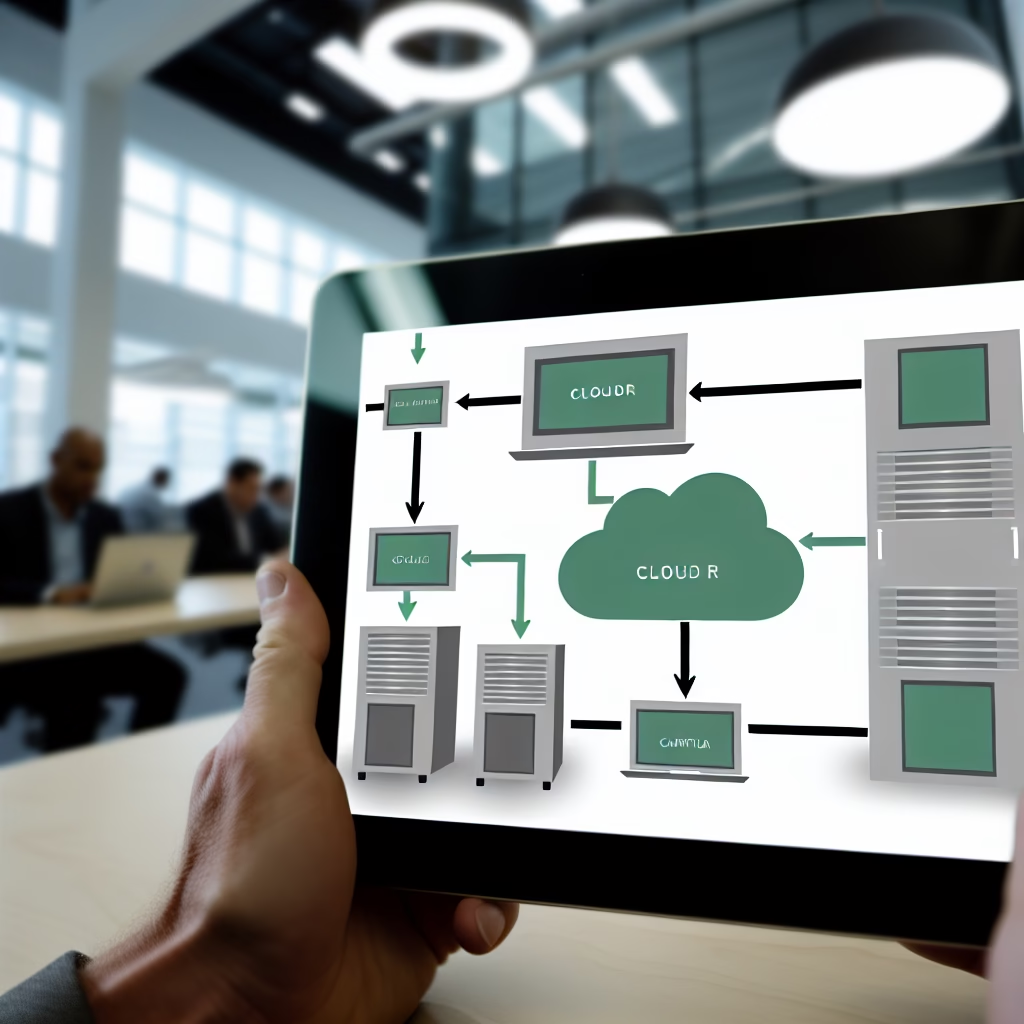
Step-by-Step Cloud Migration Execution Timeline
A well-structured cloud migration for a Land O’ Lakes small business typically spans 8–16 weeks across four phases: preparation, testing, cutover, and post-migration optimization. This timeline framework—which we call Virtual IT Group’s 4-Phase Migration Method—has been refined through years of guiding Tampa Bay businesses through successful transitions.
Weeks 1–4: Preparation and Resource Gathering
The first month focuses on building your project team, creating test environments, and documenting everything. Assemble stakeholders from across your organization—not just IT staff. Include department heads who understand daily workflows and can identify critical system dependencies that technical audits sometimes miss.
During this phase, set up a test environment in your target cloud platform. This sandbox lets you experiment without risking production data. Create a detailed inventory of every system, application, and dataset that will migrate. Document current workflows so you can validate that everything functions correctly post-migration.
Establish clear success metrics and KPIs before you begin. These might include application response times, data transfer speeds, user satisfaction scores, and cost benchmarks. Without measurable goals, you can’t verify that the migration delivered its promised value.
- Assemble cross-functional project team
- Provision cloud test environments
- Complete system and data inventory
- Document all workflows and dependencies
- Define KPIs and success metrics
Weeks 5–8: Testing, Validation, and Team Training
This is where your migration plan meets reality. Run your cloud environment in parallel with your existing on-premises infrastructure. This dual-operation period lets you compare performance, identify gaps, and resolve issues before you cut over to production.
Conduct load testing to ensure your cloud environment handles peak traffic. Execute disaster recovery drills to verify your backup and failover systems work as designed—a critical step for any Florida business. Train your employees on new cloud systems, focusing on daily workflows rather than technical architecture.
Create detailed rollback plans for every migration phase. If something goes wrong during cutover, you need to be able to revert to your previous environment within minutes, not hours. We’ve seen businesses in the Lakeland area and throughout Tampa Bay avoid catastrophic disruptions because they invested in thorough rollback planning. Address every issue discovered during testing before proceeding to production migration.
Local Angle: How Land O’ Lakes Businesses Are Successfully Migrating to Cloud
Land O’ Lakes businesses face a unique combination of opportunities and challenges when it comes to cloud migration. The Tampa Bay region’s growing economy creates competitive pressure to modernize, while Florida-specific factors—from hurricane vulnerability to state data protection requirements—make cloud adoption both more urgent and more nuanced.
The Florida Small Business Development Center (SBDC) has noted the accelerating pace of digital transformation among small businesses statewide, with cloud adoption identified as a top priority for operational resilience. Businesses in Clearwater and St. Petersburg are increasingly leveraging cloud-based collaboration tools to support remote and hybrid workforces, and Land O’ Lakes companies are following suit.
Cost savings are substantial. Eliminating on-premises server maintenance, reducing energy consumption, and shifting from capital expenditure to predictable monthly operating costs allows small businesses to redirect budget toward growth initiatives. We’ve guided businesses across Pasco County through migrations that reduced their annual IT spending by 25–35% while simultaneously improving their security posture.
Disaster Recovery and Business Continuity in Florida’s Hurricane Season
For Land O’ Lakes businesses, cloud-based disaster recovery isn’t optional—it’s essential. Cloud redundancy protects your data and applications against regional outages caused by hurricanes, tropical storms, and power grid failures that are a reality of operating in Florida.
Automated cloud backups run continuously, reducing potential data loss to minutes rather than days. Multi-region failover capabilities mean your business can keep operating even if an entire data center goes offline. As CISA’s risk management guidance emphasizes, geographic distribution of data is a fundamental best practice for business continuity. Land O’ Lakes businesses benefit directly from this approach, ensuring operations continue regardless of local conditions.

Post-Migration: Optimization and Ongoing Management
Completing your cloud migration is a milestone, not a finish line. Land O’ Lakes businesses that treat migration as a one-time event often see costs creep up and performance degrade within six months. Ongoing optimization and management are what separate a successful migration from an expensive mistake.
Monitor performance metrics against the KPIs you established during planning. Track application response times, user satisfaction, uptime percentages, and security incident rates. Right-size your cloud instances regularly—many businesses over-provision resources during migration and continue paying for capacity they don’t need.
Establish ongoing security monitoring through your cloud provider’s native tools or a managed security service. Cloud environments require continuous vigilance against evolving threats, including misconfigured access controls, unauthorized data access, and credential theft. This is where managed IT services for Tampa Bay businesses become invaluable—proactive monitoring catches issues before they become breaches.
Preventing Cloud Cost Overruns
Cloud cost overruns are the most common post-migration complaint we hear from businesses that attempted migration without professional guidance. The pay-as-you-go model that makes cloud computing SMB-friendly can also generate surprise bills if resources aren’t monitored.
Set up cost monitoring dashboards and spending alerts from day one. Review reserved instance pricing versus on-demand rates—committing to one- or three-year terms on predictable workloads can save 30–60% compared to on-demand pricing. Identify and eliminate unused resources monthly: orphaned storage volumes, idle virtual machines, and over-provisioned databases are common culprits.
Schedule monthly cost review meetings. Even 30 minutes of review can prevent hundreds or thousands of dollars in waste. Your cloud provider’s cost management tools—Azure Cost Management, AWS Cost Explorer, or Google Cloud’s billing reports—make this straightforward.
Key Takeaways
- Start with a thorough assessment: Audit your entire IT infrastructure, map dependencies, and document workflows before migrating anything to the cloud.
- Prioritize security and compliance: Verify HIPAA, PCI-DSS, and Florida-specific regulatory requirements are met by your cloud provider and migration plan.
- Choose the right cloud model: Most Land O’ Lakes small businesses benefit from a hybrid approach that allows phased migration with minimal disruption.
- Follow a structured timeline: Virtual IT Group’s 4-Phase Migration Method—preparation, testing, cutover, and optimization—typically spans 8–16 weeks for small businesses.
- Don’t neglect post-migration management: Ongoing monitoring, cost optimization, and security management are essential for long-term success.
- Plan for Florida-specific risks: Cloud-based disaster recovery with multi-region redundancy is critical for hurricane season resilience.
Frequently Asked Questions About Cloud Migration
How long does a cloud migration typically take for a small business in Land O’ Lakes?
For small businesses in Land O’ Lakes, cloud migration typically takes 8 to 16 weeks depending on infrastructure complexity, data volume, and integration requirements. A straightforward migration involving email, file storage, and a few applications can be completed toward the shorter end. Businesses with custom applications, large databases, or strict compliance requirements should plan for the longer timeline. Virtual IT Group’s structured 4-Phase Migration Method helps Land O’ Lakes companies minimize downtime while ensuring thorough testing and validation at every stage.
What does cloud migration cost for a small business in the Tampa Bay area?
Land O’ Lakes businesses typically invest between $15,000 and $75,000 for a complete cloud migration, including planning, execution, security configuration, and staff training. The wide range reflects differences in infrastructure size, compliance requirements, and the number of applications being migrated. This investment is often recovered within 12 to 18 months through reduced hardware maintenance, lower energy costs, and decreased need for emergency IT repairs. Virtual IT Group provides detailed cost projections during our free cloud readiness assessment so there are no surprises.
Will our business experience downtime during cloud migration?
With proper planning and a managed migration approach, downtime can be minimized to two to four hours or eliminated entirely through parallel migration strategies. We design cutover windows for Land O’ Lakes businesses during off-peak hours—typically weekends or evenings—to maximize availability during business hours. Parallel migration runs both your old and new environments simultaneously, allowing you to switch over only when the cloud environment is fully validated. Rollback plans ensure you can revert instantly if any issues arise during cutover.
How do we ensure data security and compliance with Florida regulations during migration?
Data security during migration requires a multi-layered approach. We conduct comprehensive security audits before migration begins, verify compliance with Florida data protection laws and industry-specific regulations like HIPAA and PCI-DSS, and implement end-to-end encryption for data both in transit and at rest. Cloud providers are selected based on their compliance certifications, including SOC 2 Type II and ISO 27001. Land O’ Lakes businesses working with Virtual IT Group receive dedicated compliance documentation and a security validation report confirming all requirements are met post-migration.
Can we migrate just some systems to the cloud, or must we move everything at once?
Partial migration is not only possible—it’s the approach we recommend for most Land O’ Lakes small businesses. A phased strategy starts with lower-risk systems like email, file storage, and collaboration tools before moving to mission-critical applications like ERP systems, databases, and customer-facing platforms. This reduces overall risk, gives your team time to build cloud familiarity, and provides early wins that build confidence. Many of our Tampa Bay clients operate in a hybrid model for months or even years, keeping certain legacy systems on-premises while running the majority of their workloads in the cloud.
Ready to Start Your Cloud Migration in Land O’ Lakes?
Moving your business to the cloud doesn’t have to be overwhelming. With the right checklist, a structured timeline, and an experienced partner, Land O’ Lakes small businesses can migrate securely, affordably, and with minimal disruption to daily operations.
Virtual IT Group has been serving the Tampa Bay region for over 40 years, helping businesses across Pasco County and beyond modernize their IT infrastructure while strengthening their cybersecurity posture. As a CompTIA and Microsoft-certified partner, our team brings deep expertise in cloud migration, security, and ongoing managed services.
Schedule a free cloud readiness assessment with Virtual IT Group today. We’ll evaluate your current infrastructure, identify the best migration path for your business, and provide a transparent cost estimate—no obligation, no pressure. Contact us at virtualitgroup.com or call our Tampa Bay office to get started.